Telegram Signal Copier for Indian Brokers: 10 Easy Setups
Many option signals in India arrive as a message in a Telegram channel. Placing them by hand means watching the phone and typing the order before the price moves, which is the work you hand over to a Telegram signal copier. Copying signals from Telegram to Indian brokers adds one rule of its own, though: the order has to come from your own computer. The Indian TeleCopier does both. It places channel signals at Zerodha, Angel One, Upstox, Dhan, Fyers, Groww, ICICI Direct, 5paisa, Kotak Neo and Alice Blue, and it sends every order from your own PC or VPS.
Telegram to Indian brokers: the static IP rule
Since 1 April 2026, SEBI's framework for retail algo trading lets a broker accept an API order only from a static IP address registered to that client. A family may share one. So a broker refuses an order that comes from someone else's server, a cloud copier's for example. On the other hand, fewer than 10 orders a second needs no strategy registration with the exchange, and a copier stays far below that.
That is why the Indian TeleCopier is software that runs on your own Windows PC or VPS. Your orders leave from your IP, with your broker API keys, which stay on your computer. TPcopier.com only checks your licence. The Indian TeleCopier product page shows what it does with each call.
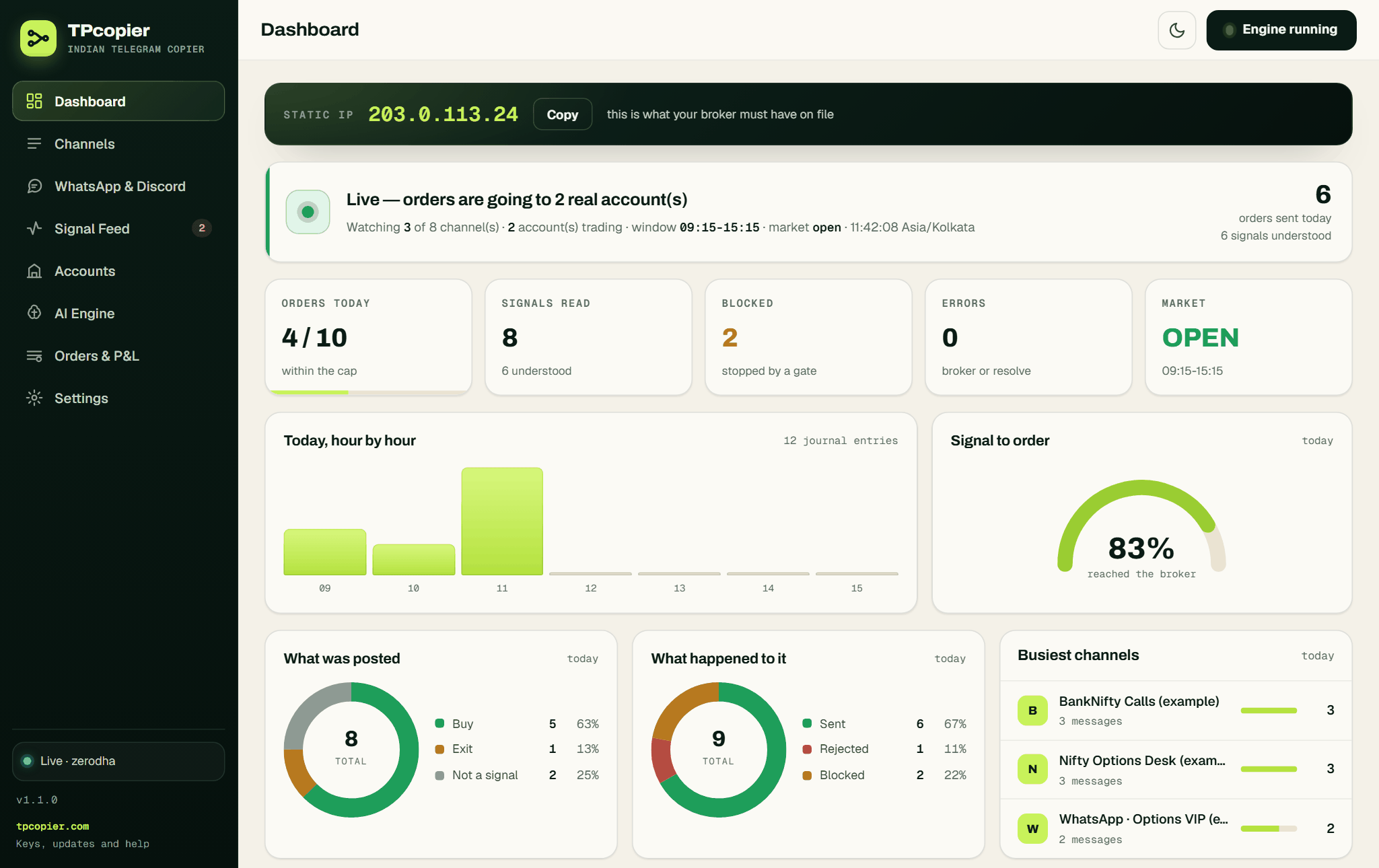 The app's Dashboard: the static IP your broker must have on file, with a Copy button, and today's orders (example data).
A small Windows VPS in Mumbai is the simplest choice. It has a fixed IP, stays on during market hours and keeps the path from Telegram to Indian brokers short. A home PC works too, as long as your internet provider gives you a static IP. TPcopier's other copiers can run either in the cloud or on your own machine, and cloud vs lifetime signal copier weighs that choice for them.
What the Telegram copier does
The app reads the channels you are already in, with your own Telegram login. Then it places each signal at your broker: entry, stop loss, targets, breakeven and trailing, per account. It learns each channel's layout, and its Parser Lab shows how it reads a message before you let it trade. So the whole path from Telegram to Indian brokers runs on your own machine.
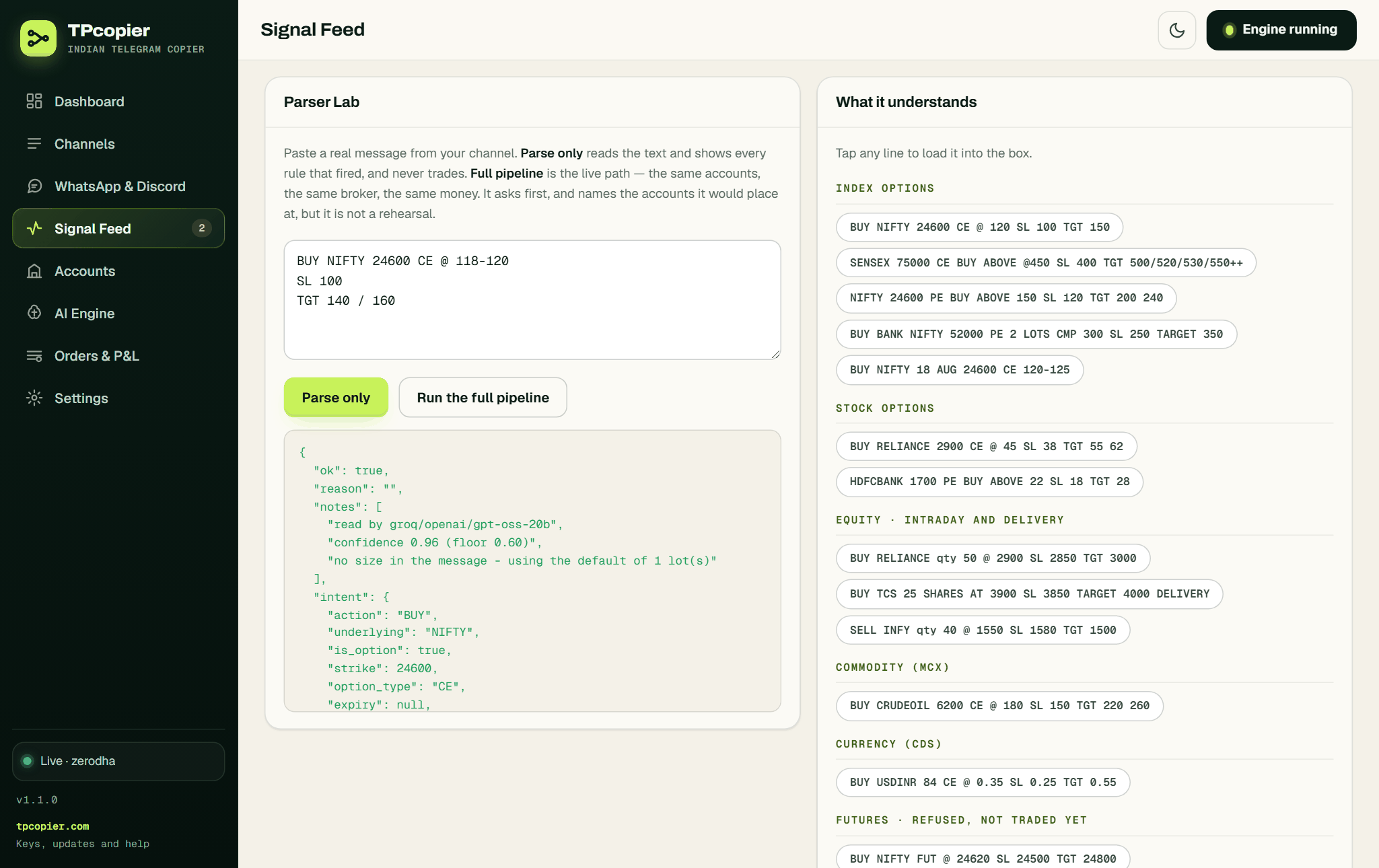 Signal Feed → Parser Lab: paste a message and press Parse only. It shows what the app understood and never trades.
WhatsApp groups and Discord channels can't feed the app: its relay was removed on 22 October 2026. WhatsApp to Indian brokers and Discord to Indian brokers explain the routes that work instead.
It trades index and stock options and NSE cash equity. MCX and currency options also work where your broker lists them. Futures, however, are not part of it.
One signal can go to several accounts at once, at the same broker or different ones, each with its own size and rules. Orders go out in your trading window, 09:15 to 15:15 by default. And one switch stops everything at once.
Setting it up in 4 steps
Going from Telegram to Indian brokers takes four steps:
- Sign up on TPcopier, open Indian Copier and take the free demo key. Then download the app.
- On your PC or VPS, create your broker's API app and register the static IP. The app's Dashboard shows the IP it sends from, with a Copy button, and warns you if it changes.
- Start the app and paste your key. Next, add each broker account with its API keys and its size, and press Test the connection.
- Sign in to Telegram inside the app and switch on the channels to copy.
You will also find every step on the Indian Copier page of your TPcopier account, in English. The Indian TeleCopier setup guide walks through each screen of the app, from the licence key to the first order.
What each broker asks for
 Accounts → Which broker?: the ten brokers the app supports and how many keys each one needs (example accounts).
Every broker issues API access its own way. For Telegram to Indian brokers there is one extra chore: most brokers want a fresh token each trading day. Zerodha, for example, explains in its Kite Connect documentation that its access token expires at 6 AM the next day. Each line below links to that broker's own guide:
- Zerodha: API key and a daily access token (Kite Connect). See Telegram to Zerodha.
- Angel One: API key, client code, MPIN and TOTP secret. It logs itself in every day, so there is nothing to paste. See Telegram to Angel One.
- Upstox: a daily access token. See Telegram to Upstox.
- Dhan: access token and client id, until the token expires. See Telegram to Dhan.
- Fyers: app id and access token; the token ends at 6 AM. See Telegram to Fyers.
- Groww: a short-lived access token. See Telegram to Groww.
- ICICI Direct: app key, secret and a daily session token (Breeze). See Telegram to ICICI Direct.
- 5paisa: app key, client code and a token that ends at 11:59 PM. See Telegram to 5paisa.
- Kotak Neo: trading token and session id from a daily TOTP login. See Telegram to Kotak Neo.
- Alice Blue: user id and a daily session id. See Telegram to Alice Blue.
Keep protective limit on. With it, the app sends a market order as a limit order a small buffer from the price. Angel One requires this, and it also protects you on 5paisa and Dhan.
TradingView alerts instead
Everything above is about the Telegram signal copier. India also has a second common signal source, TradingView. Those alerts go through the second app, the Indian TvCopier, at the same ten brokers. With port 80 open to the computer, TradingView sends each alert straight to the app on your PC or VPS, with nothing in between, and the app places the order from your static IP. The app's TradingView page has a Windows Firewall button and checks that it is listening. Port 80 is the only way in, so on a home Jio or Airtel line, which shares one address between many customers, TradingView cannot reach the app. A Windows VPS with a static IP solves that.
TradingView alerts to Zerodha covers the alert message, and the Indian TvCopier setup guide covers the app. Meanwhile, the copier for Indian brokers page shows both apps side by side. The TradingView to Indian brokers automation page shows the alert format the app expects.
FAQ
Why can't TPcopier place Indian orders from its own servers?
SEBI's rules since 1 April 2026 let a broker accept an API order only from a static IP registered to that client. So any tool that copies Telegram to Indian brokers has to send its orders from your own PC or VPS.
Do I need a VPS?
You need a computer with a static IP that is on during market hours. A small Windows VPS is the easiest way, but a PC with a static IP from your internet provider works too.
Do I need to add a bot to the Telegram channel?
No. The app signs in with your own Telegram login and reads the channels you are already in.
Can one signal trade on several accounts?
Yes. It trades several accounts at once, at the same broker or different ones, each with its own size and rules.
Do I need to log in to my broker every day?
It depends on the broker. Angel One logs itself in with your TOTP secret. Zerodha, Upstox, ICICI Direct, Kotak Neo and Alice Blue need a new token or session every day, while 5paisa's token ends at 11:59 PM and Fyers' at 6 AM.
Is this Telegram signal copier India-only?
Yes, the Indian TeleCopier is for the ten Indian brokers above. For MetaTrader, TPcopier has its own guide to copy Telegram signals to MT4 and MT5, and binary brokers have theirs.
Is it a subscription?
No. Each app has a one-time price and a lifetime licence, with one computer per key.
Is there a free demo?
Yes. Each app has a free demo of the whole app, one per account and per computer. When you buy, the demo key itself becomes your lifetime key.
Start with the free demo
The demo is the whole app, so you can watch Telegram to Indian brokers work, one channel's signals reaching your broker, before you pay anything. Create your TPcopier account, open Indian Copier and take the demo key. After that, register your static IP, add one account and switch on one channel you trust.
Risk warning: trading options and equities carries a high risk of losing money. Nothing here is investment advice.