TradingView to Zerodha automation: alert in, order out.
The Indian TvCopier is TPcopier's app for TradingView to Zerodha automation, and for nine other Indian brokers too. Your alert, written as JSON, goes from TradingView's servers straight to the app on your Windows PC. The app checks it, then sends the order to Zerodha, Angel One, Upstox, Dhan, Fyers, Groww, ICICI Direct, 5paisa, Kotak Neo or Alice Blue from your own static IP. No AI reads your alert, and no TPcopier server sits in the middle.
What does TradingView auto trading in India need?
TradingView can post a message to a web address the moment your indicator or Pine Script strategy fires. TradingView calls this a webhook alert. But it cannot log in to an Indian broker by itself. Something has to take the alert, find the contract and send the order.
A TradingView to Zerodha automation setup has three parts: the alert on TradingView, the Indian TvCopier on your Windows PC, and your broker's API. The app reads the alert as JSON in microseconds, with no AI in the path. So a plain-text alert never trades; the Signal Feed records the reason.
Why your own PC? From 1 April 2026, under SEBI's retail algo framework, brokers take API orders only from a static IP the client has registered. So TradingView auto trading India's brokers will take has to start on your own computer. SEBI's circular on algorithmic trading for retail investors lays out the framework.
- Windows 10 or 11 (64-bit) on a PC or VPS with a static IP, switched on through market hours.
- Your broker's API keys, with that static IP registered at the broker.
- A TradingView plan that sends webhook alerts.
How the alert reaches your PC
The app listens for TradingView on port 80, while its own dashboard stays private on the PC. TradingView's own guide to webhook alerts sets two conditions. The address must use port 80 or 443, and your TradingView account needs two-factor authentication switched on.
The path is plain HTTP on purpose. In TPcopier's own test, an alert took about 370 ms to travel from TradingView in Oregon to a PC in Mumbai this way. Over HTTPS, the same trip took about 615 ms. To keep it safe, the app takes orders only from TradingView's four published addresses. It refuses a post from anywhere else, and the journal names who knocked.
The webhook URL ends in a long secret token. Keep it as private as a password; the Regenerate button swaps it for a new one if it ever leaks. Three places may need opening:
- On the PC: the app's TradingView page has a button that adds the Windows Firewall rule for port 80.
- On a VPS: the provider's firewall must let port 80 through as well.
- At home: your router has to pass port 80 to this PC, which works only when your line has its own public IP.
This is the part of TradingView to Zerodha automation to check first on a home line. Jio, Airtel and most other home connections often share one public address among many customers. In that case no setting on your PC lets TradingView in. A rented Windows VPS with its own static IP gets round this, and your broker needs that IP on file anyway.
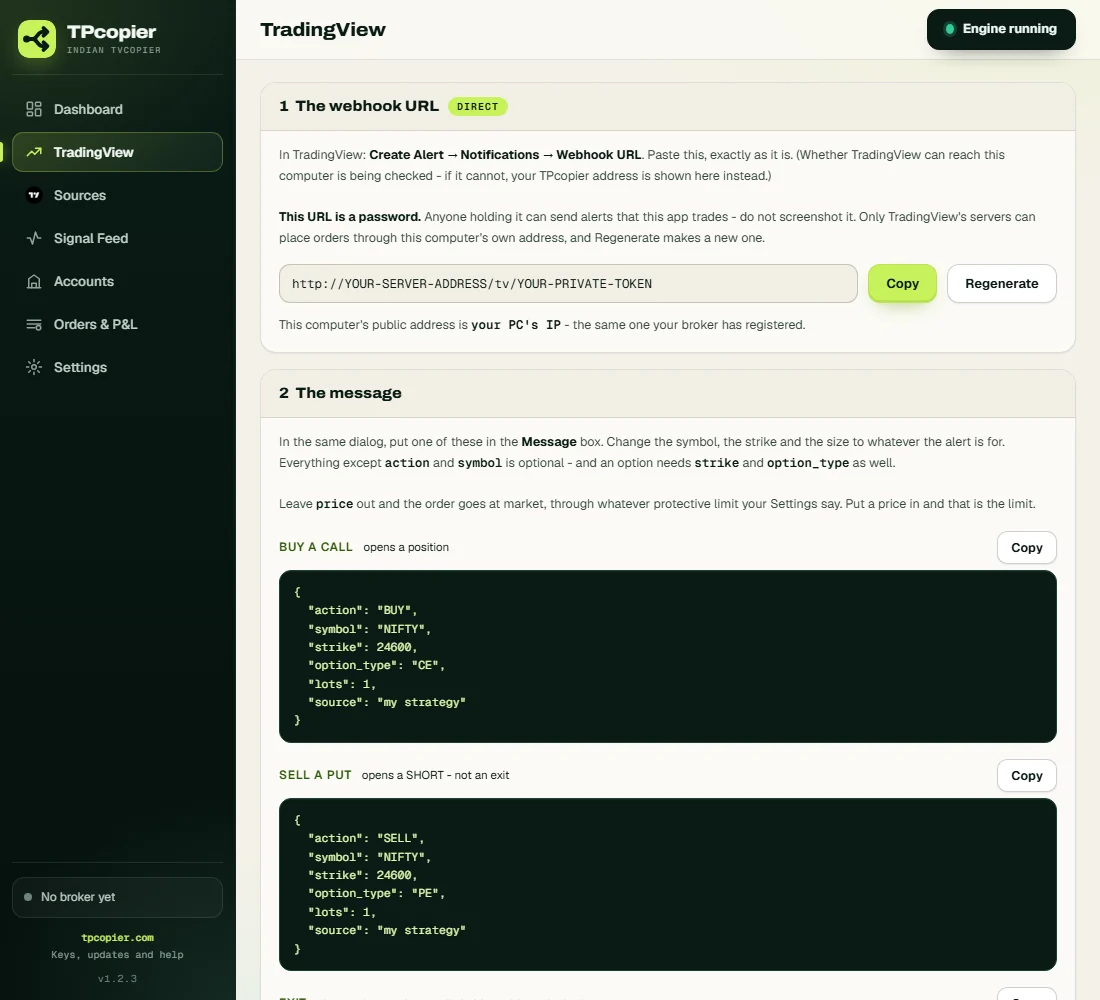
Where TradingView to Zerodha automation begins: your webhook URL, then ready messages to copy. The address here is a placeholder.
The TradingView webhook message for an Indian broker
The JSON message decides what your TradingView to Zerodha automation will trade. Only action and
symbol are a must. An option also needs option_type, plus a strike unless you let the app
pick one by premium.
| Field | What it does |
|---|---|
action | BUY, SELL or EXIT. A SELL starts a short position and never closes a long. |
symbol | An index like NIFTY, BANKNIFTY or SENSEX, or a share like RELIANCE |
strike | Steps of 50 for NIFTY, and of 100 for BANKNIFTY or SENSEX |
option_type | CE or PE |
lots / quantity | Option size in lots; share count for a stock |
price, sl, targets | With a price, the order is a limit. Without one, it goes at market through your protective limit. |
premium | With no strike, the premium the app aims for |
source | Names the strategy, which then gets its own switch |
The app's TradingView page holds six ready messages, from a plain call and a short put to cash equity and a Pine strategy. Each one has a Copy button. This is the strategy one, set for a BANKNIFTY put:
{"action": "{{strategy.order.action}}", "symbol": "BANKNIFTY", "strike": 52000,
 "option_type": "PE", "lots": {{strategy.order.contracts}},
 "source": "{{strategy.order.alert_message}}"}
TradingView fills in each placeholder on every order the strategy makes. Field names are forgiving too: side, ticker or right work in place of action, symbol or option_type. The side can also ride on the action, as BUY_CE or EXIT_PE.
What the app refuses before your broker sees it
JSON cannot be misread, but it can still be wrong. These checks guard your TradingView to Zerodha automation against common Pine mistakes. Each refusal comes with a plain reason, and nothing goes to your broker:
- Plain text: with no AI inside, the app accepts JSON only.
- A blank placeholder:
{{close}}arriving as text means TradingView had no value for it. Reading it as empty would turn a priced order into a market one. - An index level as a premium: an option entry or stop above 20,000 looks like
{{close}}in the wrong field. - A strike off the step: such as 24587.35 on NIFTY, or a BANKNIFTY strike that is not a multiple of 100.
- Half an option: a strike without CE or PE. Futures alerts stop here too, since the app trades options and shares.
One thing passes with a note: an expiry that has already gone. The app takes the nearest live expiry instead. It also drops a repeat of the same alert within 300 seconds, because a strategy can fire twice.
No strike in the alert? Pick it by premium
An entry with CE or PE and no strike asks the app to choose. The app pulls live option prices from your broker, finds the strike with the premium closest to the target, and sends a limit order on the closest valid expiry. The target is the account's own, unless the alert sends a premium. If nothing comes near enough, the app skips the alert and names the nearest strike.
{"action": "BUY", "symbol": "NIFTY", "option_type": "CE", "premium": 150, "source": "my strategy"}Exits work by side as well. An EXIT with CE or PE and no strike closes all your open options of that side. An EXIT for an index with no option type closes both sides, and an EXIT_ALL action with no symbol squares off every open position.
One alert, several accounts, each sized its own way
When TradingView to Zerodha automation runs on several accounts, every active account gets the alert. Each account
can also scale it: a share of 0.5 halves every order on that account. On the Sources page, each strategy named in
source gets its own switch, and you can limit a strategy to the accounts you tick.
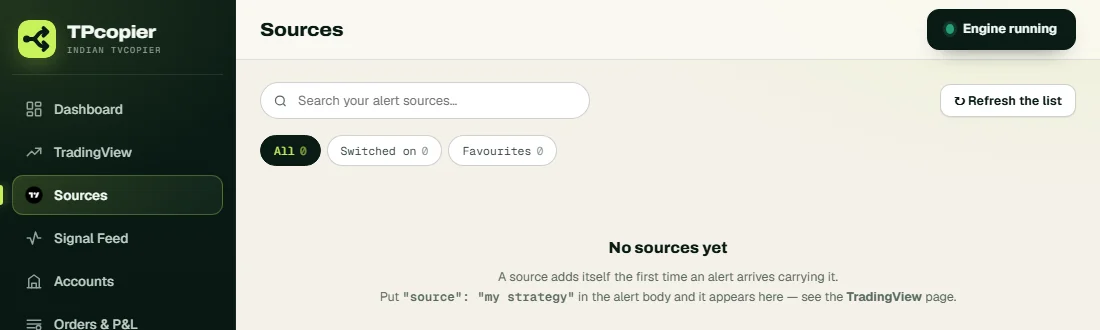
A source adds itself here the first time an alert names it.
Each account also has a tab per market with a size rule:
- Fixed: the alert's lots or quantity first, then the size you set. An equity alert with no quantity takes the account's size.
- Auto: rupees at risk decide the size. Rs 500 on an entry of 1050 with a stop at 1040 buys 50 shares, and option lots round down.
- Most lots in one order: the app refuses an alert that asks for more, and Auto stays under it.
Paper trading is the default for a new account. The app prices each fill from the broker's live quote and keeps the result in its own book, so no order reaches the market. Move the account to Real later, from its Settings, once the paper results look right.
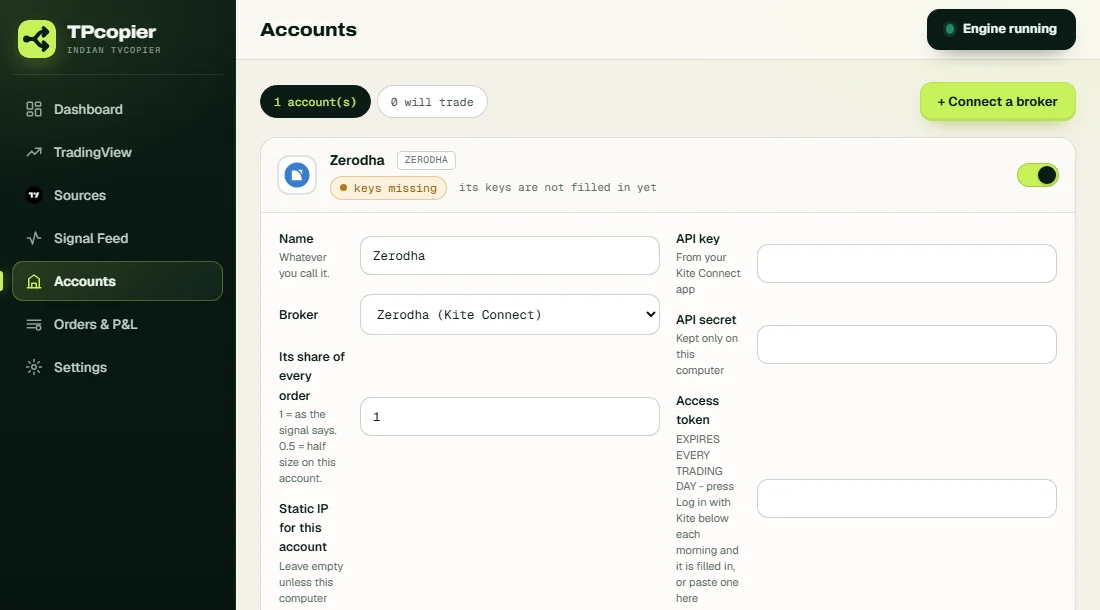
A new Zerodha account before its keys go in, with its share of every order set to 1.
From TradingView to ten Indian brokers
On the Accounts page, press Connect a broker, pick yours and paste its keys. Then test the connection to see that the broker answers. Your keys stay sealed on your PC, and the app shows them only as dots afterwards.
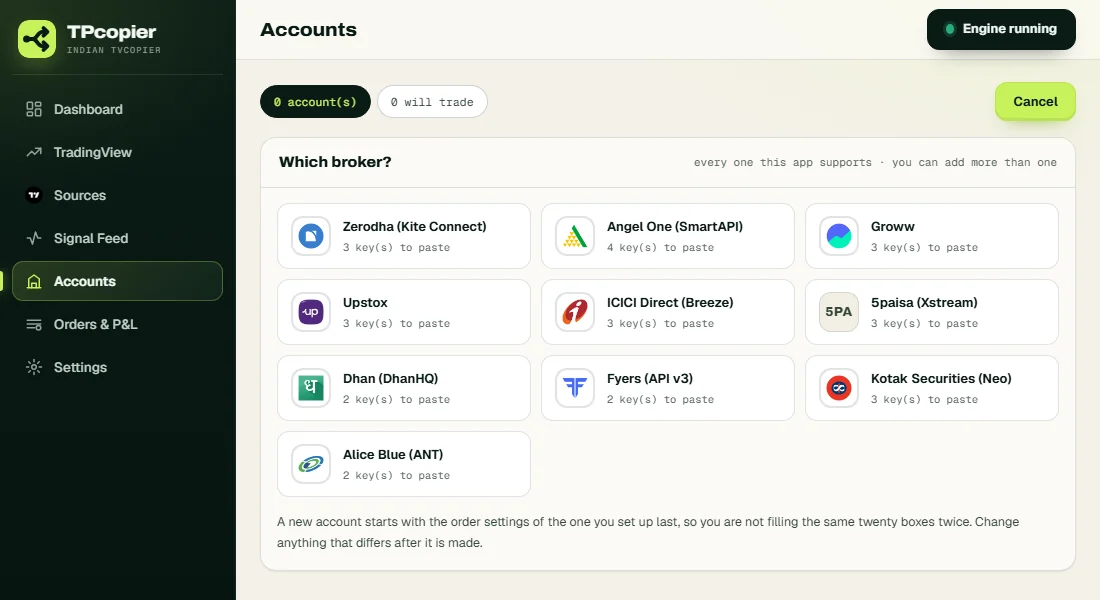
Angel One needs four keys; Dhan, Fyers and Alice Blue need two each.
Most brokers expect a new login every trading day, though TradingView to Angel One automation needs none:
| Broker | Each trading day |
|---|---|
| Zerodha | One press of Log in with Kite |
| Angel One | Nothing: the app uses your TOTP secret |
| Upstox, ICICI Direct, Alice Blue | The day's token or session |
| Kotak Neo | A TOTP login |
| Fyers | A new token; the old one stops at 6 AM |
| 5paisa | A new token; the old one stops at 11:59 PM |
| Dhan, Groww | A new token when the old one expires |
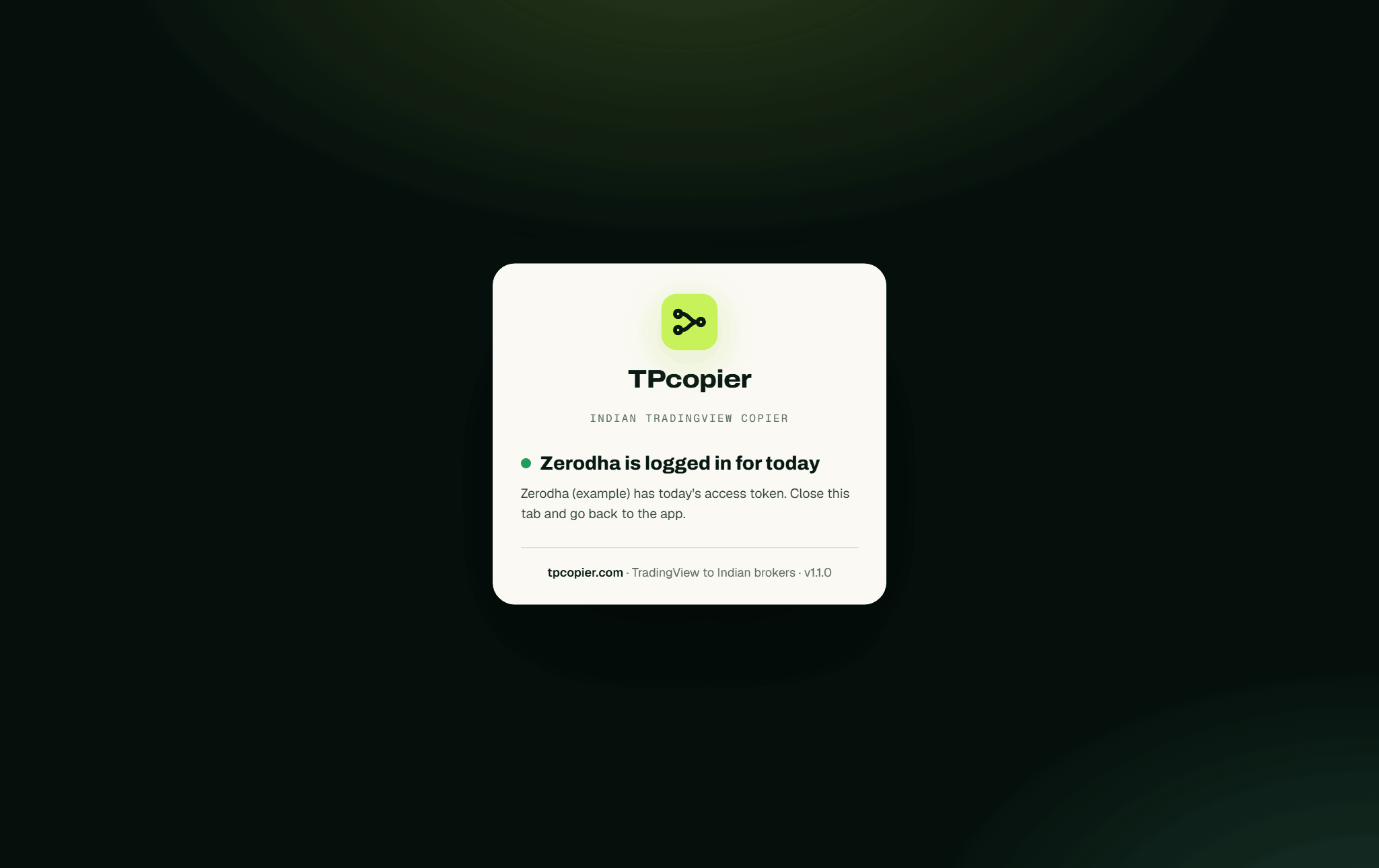
After Kite's login, the app keeps the day's token (example account, from an earlier version).
Stay inside your broker's order-rate limit as well. Below 10 orders a second, SEBI's framework asks for no strategy registration. Step-by-step posts for each broker: TradingView to Zerodha, TradingView to Angel One, Upstox, Dhan, Fyers, Groww, ICICI Direct, 5paisa, Kotak Neo and Alice Blue.
TradingView to Zerodha automation: price and demo
The Indian TvCopier costs $150 once. That buys a lifetime licence for one computer. Included broker accounts: 1; more cost $30 each, also paid once. During the 2-day demo you get one broker account and a set number of entry alerts a day, while exits always go through. Pay later, and the same key turns lifetime. Sales are final, so use the demo well.
The install guide covers each screen, from activation to the first alert.
Your calls come from a Telegram channel instead? See the Telegram to Zerodha copier, which covers the same ten brokers. Every app sits on the software page. Trading MT4 or MT5 from TradingView? That runs in our cloud: TradingView to MT4/MT5.
TradingView to Zerodha automation questions.
More: the TvCopier install guide and every Indian broker app.
Can TradingView place orders in Zerodha by itself?
No. TradingView only sends a webhook. For TradingView to Zerodha automation, the Indian TvCopier on your PC takes it and places the order through Kite Connect. Read TradingView to Zerodha for each step.
Do I need a paid TradingView plan?
You need a plan that sends webhook alerts, with two-factor authentication on. TradingView lists what each plan includes on its own site.
Will it work on Jio or Airtel home internet?
Often not, because those lines often share one public address among many customers. A Windows VPS with a static IP works, and your broker needs that IP anyway.
Can a Pine Script strategy trade on its own?
Yes. Use strategy.order.action as the action and strategy.order.contracts as the lots. TradingView fills both in on every order.
What happens to a plain-text alert?
The app refuses it, since it reads JSON only, with no AI. The Signal Feed shows the reason, and nothing reaches your broker.
Is there paper trading?
Yes, and it is the default: live broker prices, simulated fills, and nothing sent to the market.
What does TradingView to Zerodha automation cost?
The Indian TvCopier is $150 once, after a 2-day free demo. Your TradingView plan and any VPS are separate costs.
Risk warning: options and shares can lose you money. The Indian TvCopier places the alerts you write. TPcopier is not a SEBI-registered adviser, intermediary or research analyst, gives no tips and makes no promise of profit. TradingView and the broker names are trademarks of their owners; TPcopier is not affiliated with them.
Alert in, order out.
Your TradingView to Zerodha automation, on Paper first - 2 days free.