Cloud vs Lifetime Signal Copier: 3 Honest Differences
TPcopier comes in two forms. One is a cloud service that runs on TPcopier's servers. The other is the Lifetime Software, which runs on a computer of your own. Both read your Telegram channels and trade Quotex, Pocket Option, IQ Option, Binomo, Olymp Trade and ExpertOption; the cloud also trades Binolla. What differs is where they run, what you set up and how you pay, and those three things decide the cloud vs lifetime signal copier choice. This guide puts them side by side, with the first steps of each.
Cloud vs lifetime signal copier at a glance
The cloud service
The cloud service runs around the clock on TPcopier's servers, so your PC can be off. There is nothing to install and no keys to find. You sign up, make a bridge, connect Telegram, WhatsApp or Discord and your broker accounts, then link them in the bridge's window. You pay per bridge, and a free trial with no card comes first.
The Lifetime Software
The Lifetime Software is TPcopier running on your own Windows PC or VPS. You buy it once, with two broker accounts included, and you can add accounts later, each bought once. A free demo key comes first, so you can install it and try it before paying. One key works on one computer at a time. The crypto apps, such as the Delta Exchange trading bot, the app to connect TradingView to Delta Exchange and the TradingView to Binance bot, are pay-once Windows apps too.
Difference 1: where it runs
This is the main practical difference.
The cloud service does not depend on your computer. It keeps reading your channels and placing trades whether your PC is on, asleep or off. Broker sign-ins happen in the browser too: after Add and connect, the broker's own sign-in page opens inside TPcopier and you sign in there yourself. TPcopier never asks for your broker password and keeps only the login session, encrypted.
The Lifetime Software runs where you install it, so it trades only while that computer is on and online. Many people put it on a VPS for that reason. On your own copy, signing in to a broker opens a real Chrome window on that computer. So it needs a desktop you can see, and a Linux VPS needs a remote desktop.
MetaTrader works differently again. The TPcopier EAs only talk to TPcopier.com, so MT4 and MT5 copying is a cloud feature. On the cloud, TPcopier runs the MetaTrader terminal on its own servers, so you can run an MT4 or MT5 EA without a VPS. Indian brokers are the opposite case. SEBI accepts their API orders only from a static IP registered to you, so the Telegram to Indian brokers copier runs only as software on your own machine.
Difference 2: what you set up
- Cloud. Nothing beyond your own accounts. The service brings the Telegram connection and the AI reader.
- Lifetime Software. You add your own Telegram API keys, which are free from my.telegram.org; Telegram explains the steps on its page about obtaining an API id. You also add an AI key if you want the AI reader for free-form messages. Without it, the software still reads common signal layouts. Your copy checks its licence with TPcopier.com once a day and keeps working for a week without contact.
What both do the same way
On the six binary brokers, Quotex, Pocket Option, IQ Option, Binomo, Olymp Trade and ExpertOption, both options give you:
- The binary options signal copier. Your own Telegram login, no bot to add, and one channel linked to accounts on any mix of brokers.
- The trade copier. One main account copied to followers at the same broker.
- Two layers of reading. TPcopier's own reader takes common layouts in under a millisecond, and an AI reads the rest.
- A record of every trade. In the cloud, Live trades on the Dashboard shows the latest trades with their result, an order that did not go out reads "Not placed" with the reason, and History lists every trade.
- Safety settings. Demo first, a daily stop and target, a stake cap and one button that stops all trading (Stop Trading in the cloud). The risk management guide explains each one.
- Results from the broker. Wins and losses come from each broker's own trade history.
Difference 3: how you pay
- Cloud. You pay each bridge ahead with Binance Pay, for 1, 3, 6 or 12 months, and it runs until its own date. Nothing renews by itself. The signal copier pricing page shows what each bridge costs and includes.
- Lifetime Software. One payment with Binance Pay, two broker accounts included, and a one-time payment per extra account. The Lifetime signal copier software page shows the current price.
For both, all payments are final and there are no refunds, as the refund policy sets out. That makes trying first more important than usual.
Cloud vs lifetime signal copier: which fits you
The cloud service is likely to suit you if:
- Copying should carry on while your PC is off, with nothing to install.
- You want MetaTrader, WhatsApp or Discord in the mix.
- You would rather not manage Telegram or AI keys yourself.
On the other hand, the Lifetime Software may suit you if:
- A Windows PC or VPS of yours stays on while you want signals copied.
- You trade one of the six brokers the Lifetime Software covers and prefer one payment to a monthly bill.
- Adding your own Telegram API keys does not put you off.
Try both before you pay
Since every payment is final, settle the cloud vs lifetime signal copier question where it costs nothing. The cloud has a free trial with no card, and the Lifetime Software has a free demo key. Either way, add your broker accounts on demo first.
Start the cloud service in 3 steps
-
Create your account on the sign-up page. The free trial needs no card.
-
Make a bridge. On the Bridge, press Make a bridge, pick the sender (for example Telegram) and the receiver (for example Quotex), and press Open the bridge.
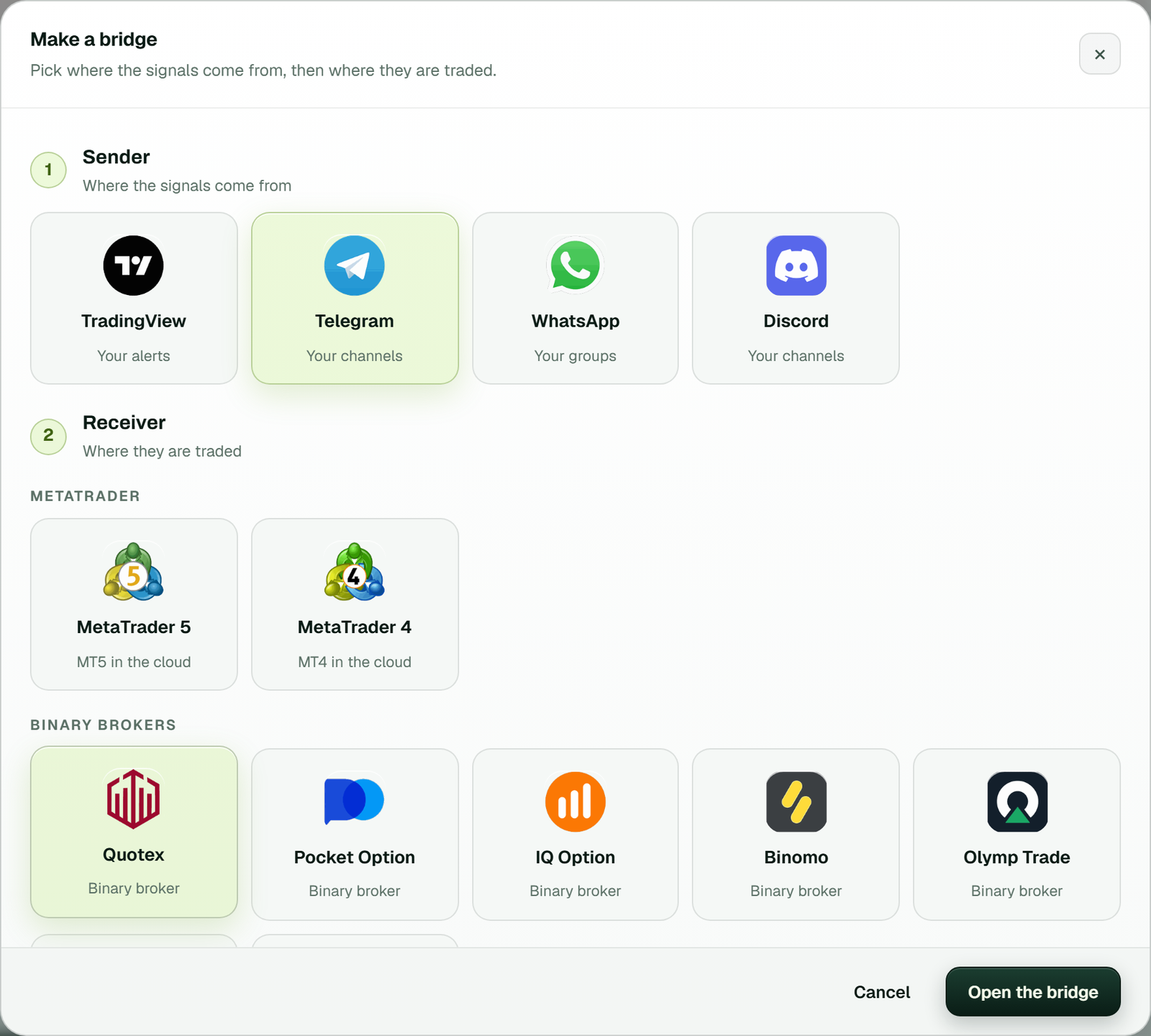 Make a bridge: Telegram as the sender, Quotex as the receiver, then Open the bridge.
-
Connect Telegram and add a demo broker account, then link them in the bridge's window.
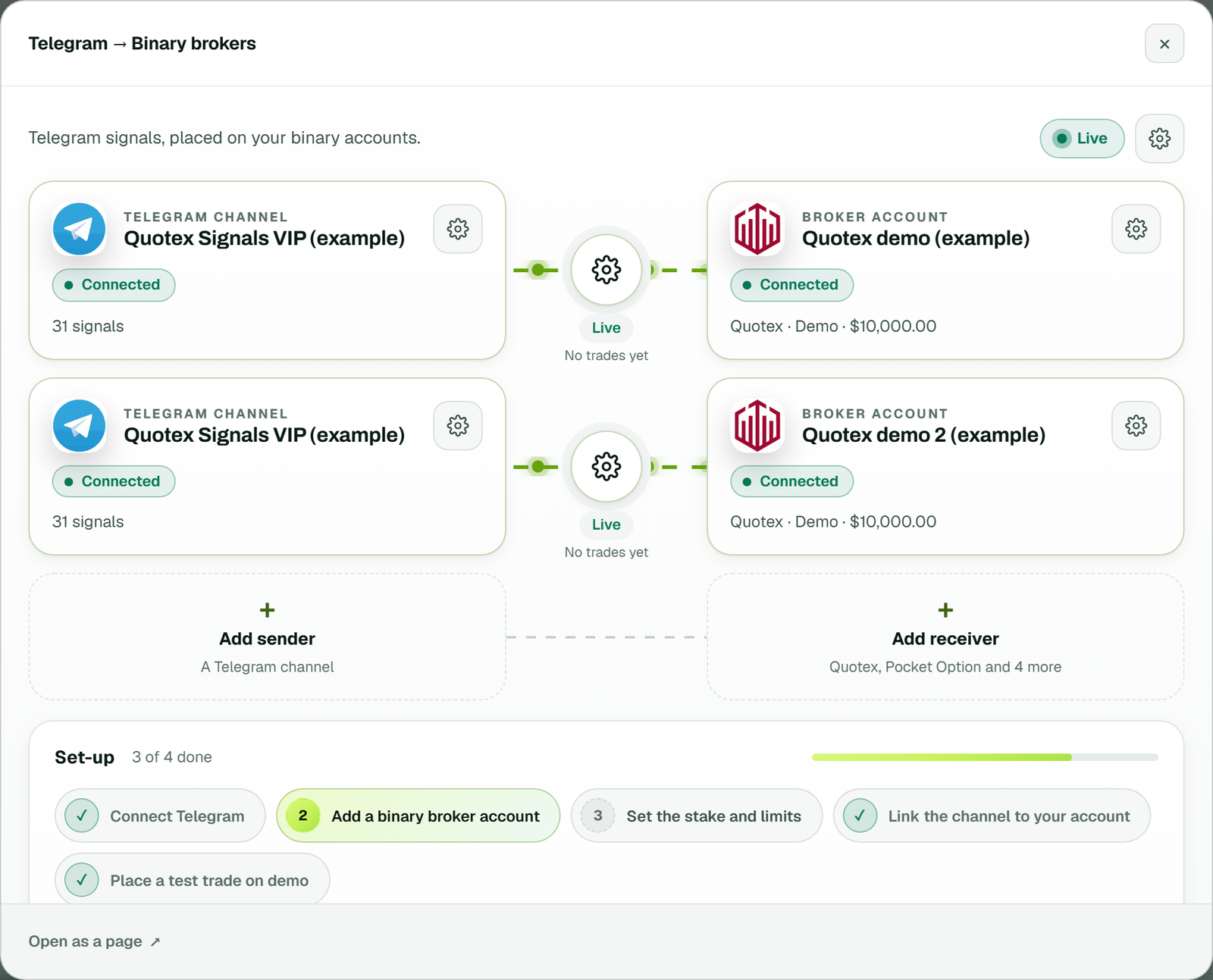 The bridge's window: one Telegram channel linked to two Quotex demo accounts, each link Live, with the Set-up list below (example workspace).
The Telegram signal copier for Quotex guide walks through that first set-up in full.
Start the Lifetime Software in 3 steps
-
Take the free demo key on the Lifetime Software page of your TPcopier account.
 The Lifetime Software page in the app: the free demo and its limits, with the button for the key.
-
Download TPcopier and start it on your Windows PC or VPS.
-
Create your account in it and paste the key on its Licence page. Until then, that copy trades nothing.
 The Licence page of a new copy: not active yet, with a box for the key and an Activate button (example workspace).
Whichever you pick, TPcopier is not affiliated with any broker, and broker names are trademarks of their owners.
FAQ
Is the Lifetime Software really a one-time payment?
Yes. It is one payment for the licence with two broker accounts included. You also pay once for each extra account, when you add it.
Can I use one key on two computers?
No. A key works on one computer at a time. If you move to a new PC or VPS, contact support and the key is released from the old one.
Does the cloud service need my PC to be on?
No. It runs on TPcopier's servers, so it keeps reading your channels and placing trades while your PC is off.
Can the Lifetime Software copy to MT4 or MT5?
Not today. The TPcopier EAs only work with TPcopier.com, and a Lifetime copy says so on its MetaTrader page. So MetaTrader copying runs on the cloud service, while the Lifetime Software trades six binary brokers (all but Binolla) and runs their trade copier.
Can I get a refund if I choose the wrong option?
No. All payments are final. So use the free trial, the free demo key and demo accounts to settle the cloud vs lifetime signal copier choice before you pay.
Legality: binary options are banned or restricted in many countries. In India, the RBI lists several binary platforms, including Quotex, Pocket Option, IQ Option, Binomo, Olymp Trade and ExpertOption, as not authorised for forex trading. Check the law where you live before you use any broker. TPcopier is software only; it is not a broker and is not linked to any of them.
Risk warning: binary options carry a high risk of losing money and are restricted in some countries. Nothing here is investment advice.