Telegram to Zerodha copier, and nine more brokers.
The Indian TeleCopier is TPcopier's Telegram to Zerodha copier, and it works the same way with nine other brokers. It is a Windows program that follows your Telegram channels, signed in as you. Then it sends each call to Zerodha, Angel One, Upstox, Dhan, Fyers, Groww, ICICI Direct, 5paisa, Kotak Neo or Alice Blue. Each order goes out from your own PC and its static IP, as SEBI's rule asks. It is not a cloud service.
What does a Telegram to Zerodha copier do?
Option calls in India often come as a Telegram post: a strike, CE or PE, an entry, a stop loss and a target or two. By the time you open your broker's app and type it in, the premium has moved. A Telegram signal copier India traders run on their own PC does the typing for you. It watches the channels you pick and turns each call into an order at your broker.
The Indian TeleCopier does this on your own Windows computer. It logs in to Telegram with your own account, so every group and channel you follow is open to it, and there is no bot to add. Then it sends the order through your broker's own API, from the static IP your broker knows.
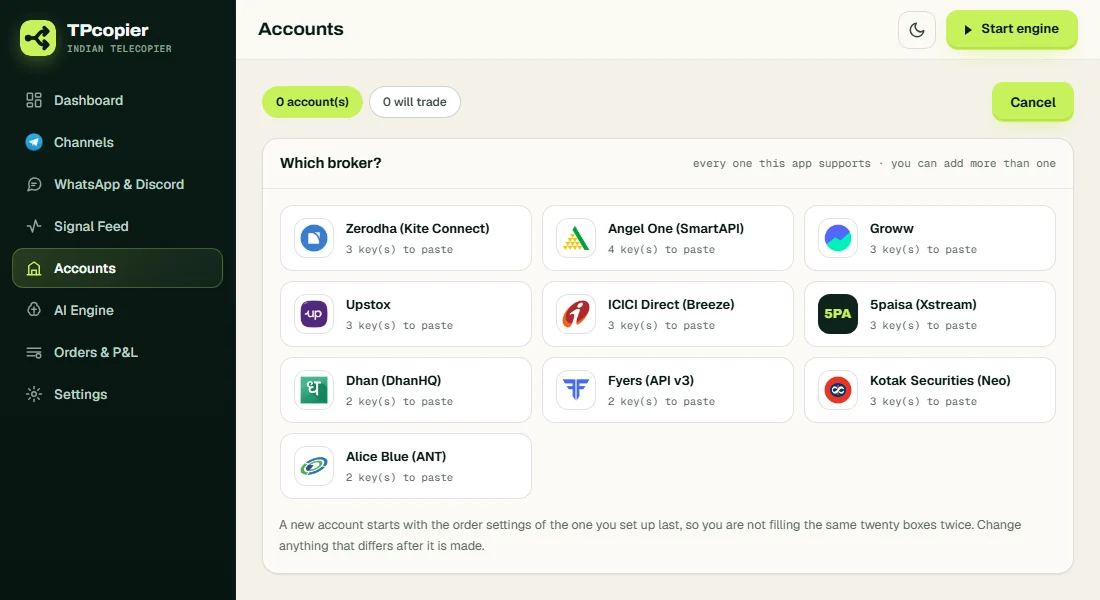
The Telegram to Zerodha copier lists all ten brokers and how many keys each one needs.
Why Telegram auto trading in India runs on your PC
SEBI changed the rules for retail algo trading, and every broker follows them from 1 April 2026. Your broker now takes an API order only when it comes from a static IP you have registered with it. One IP can serve a whole family. So a Telegram to Zerodha copier, or one for any other broker, has to sit where that IP lives. TPcopier places nothing from its own servers. The details are in SEBI's circular on retail algorithmic trading.
Here is what you need:
- A PC or a rented Windows VPS, running Windows 10 or 11 (64-bit), with a static IP.
- API access at your broker, with that IP on its list.
- Your Telegram account, the one that follows your signal channels.
The Dashboard shows your public IP next to a Copy button, ready for your broker's form. If that address ever moves, the app warns you, because your broker turns away orders from an IP it does not know.
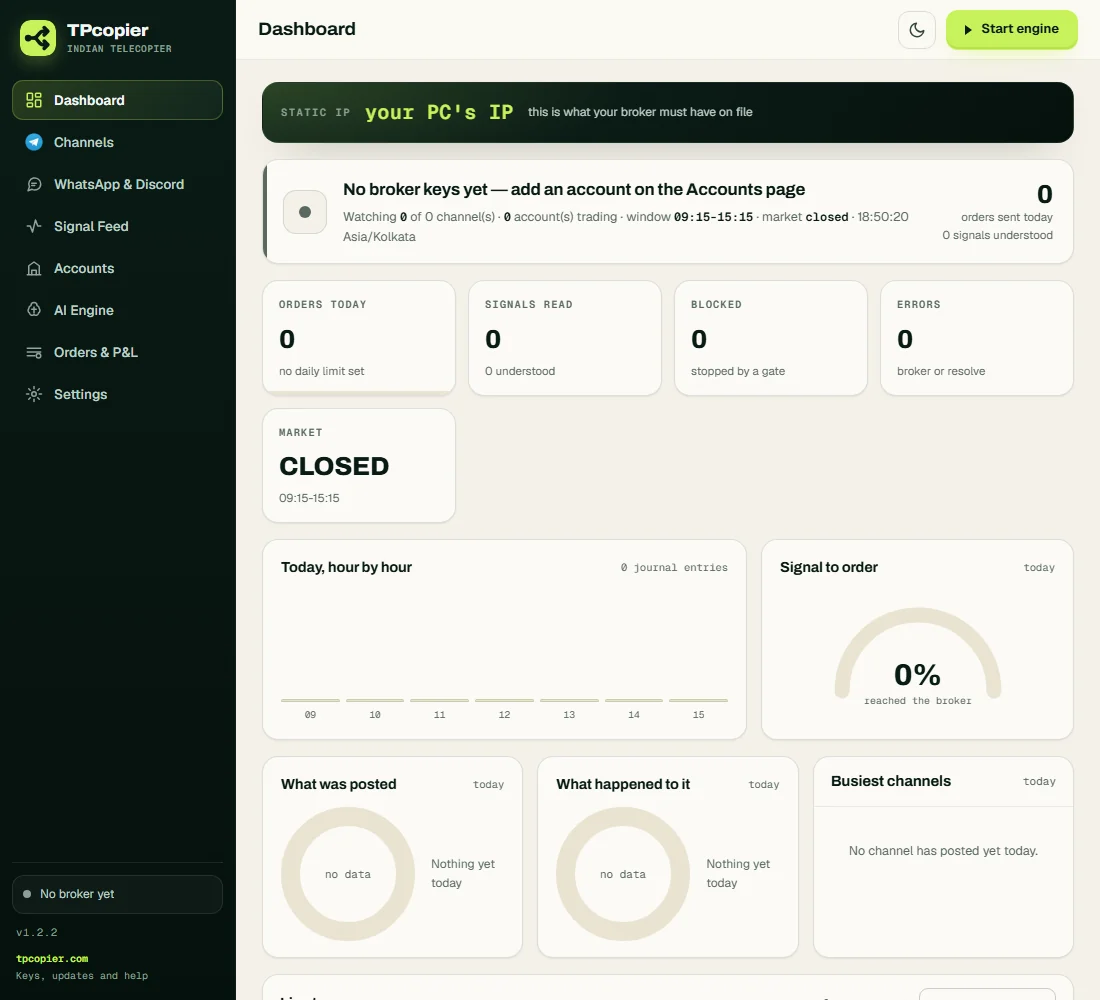
The Dashboard opens with the Static IP band. Here it holds a placeholder, not a real address.
How it reads a channel's call
No two channels write the same way. Some write BUY ABOVE, some write CMP, and some write in Hinglish. So the copier sends a new layout to an AI model, then checks the answer itself. It turns down a strike off the index's step, or a call with no CE or PE, before your broker sees it.
Once it has read a layout, it learns that shape. After that, the next post in the same shape needs no AI call at all. The app comes with an AI engine ready to use, and its AI Engine page also takes your own key for one of eight providers.
| Message in the channel | What the copier does |
|---|---|
BUY NIFTY 24600 CE @ 120 SL 100 TGT 150 | NIFTY 24600 call: entry 120, stop 100, target 150 |
SENSEX 75000 CE BUY ABOVE @450 SL 400 TGT 500/520/530/550++ | A BSE index call with four targets |
BUY BANK NIFTY 52000 PE 2 LOTS CMP 300 SL 250 TARGET 350 | Two lots, because the message names its size |
BUY TCS 25 SHARES AT 3900 SL 3850 TARGET 4000 DELIVERY | 25 TCS shares in cash equity |
BUY CRUDEOIL 6200 CE @ 180 SL 150 TGT 220 260 | An MCX option, where your broker lists it |
BUY NIFTY FUT @ 24620 SL 24500 TGT 24800 | Refused: futures are not traded, and nothing goes to the broker |
The Parser Lab is the place to start. Copy a few real posts there, choose Parse only, and the app shows how it reads each one without trading. Later, the Signal Feed lists every live message, how the app read it, and why it traded or stayed out.
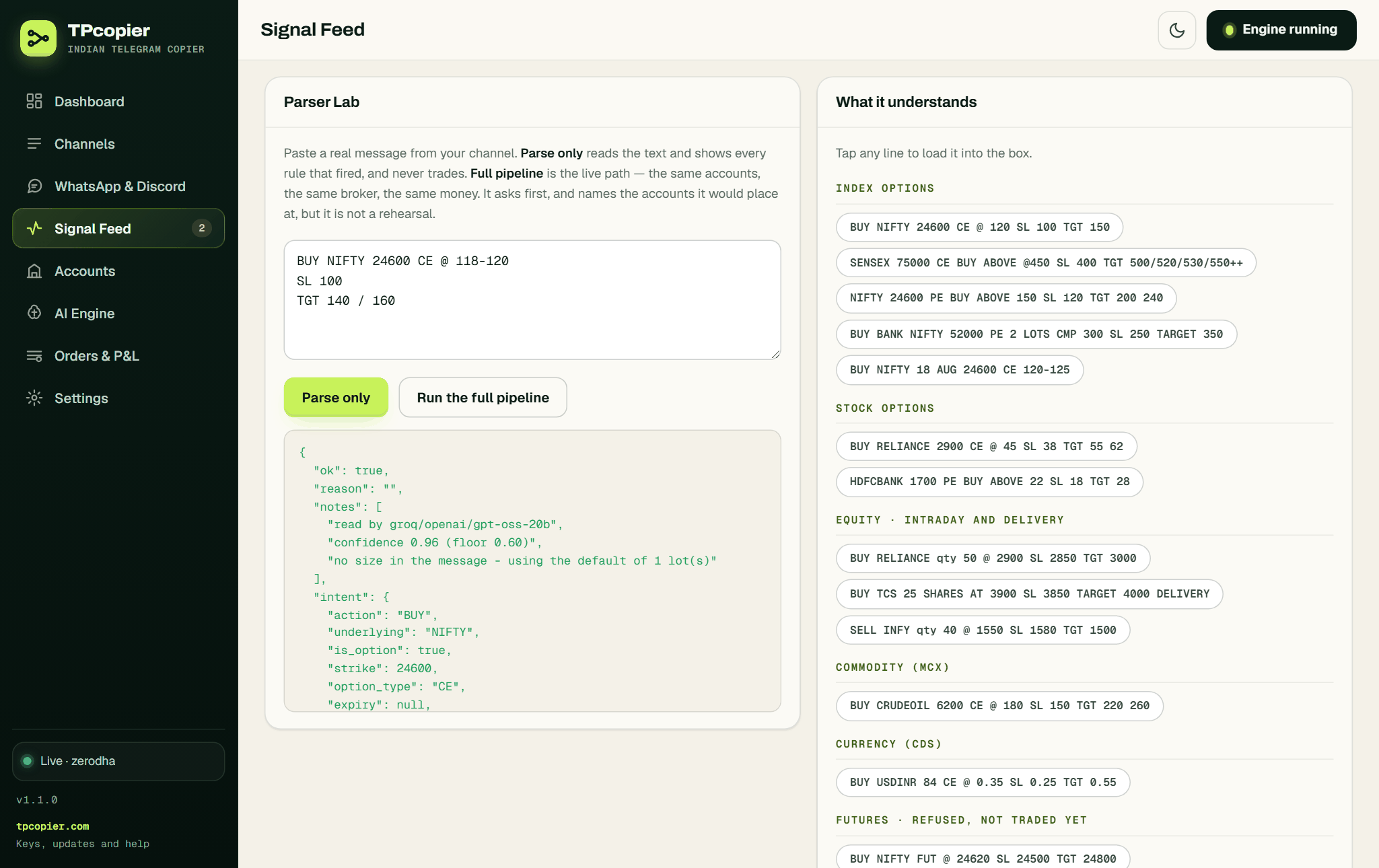
Parse only shows how the app would turn a pasted call into an order. This screen comes from an earlier version.
Calls with no strike, and exits by side
Some channels post only BUY NIFTY CE, or NIFTY PE le lo, with no strike. The copier then asks
your broker for live option prices. It buys the strike whose premium sits nearest your target, on the nearest valid
expiry, as a limit order. If no strike comes close enough, it skips the call and the journal names the nearest one.
The Telegram to Zerodha copier reads Hinglish posts like these too.
Each account sets its own target premium and how far from it a strike may be. A message that says "premium 150" goes first. After a cut-off time, 14:30 unless you change it, the app uses the next expiry instead of today's.
Exits work by side too. EXIT CE or EXIT PE closes the options you hold on that side,
EXIT NIFTY closes what you hold in NIFTY, and exit all squares off everything. You can also
allow one open position per side, so the app turns down a new CE while a CE is open.
Order size: fixed, or from your risk
Each account has a tab for every market it trades: equity, options, commodity and currency. In each tab you choose how big an order is.
- Fixed: a set number of shares or lots. A size written in the message goes first.
- Auto: the size comes from the rupees you accept to lose at the stop. For example, Rs 500 on
BUY CMP 1050 SL 1040is 500 ÷ 10 = 50 shares. - Options on Auto: lots round down, so the loss at the stop stays within your amount. If one lot already risks more, the app skips the call.
- No stop loss: Auto has nothing to measure, so the call takes the fixed size, and the journal says so.
- Most lots in one order: a cap per account, and Auto never goes above it.
Every account also has its own share of every order. So 0.5 trades half size on a smaller account. A channel can trade on chosen accounts only, or on every account that is on.
Ten brokers, each with its own login
You can connect several accounts at once, at one broker or at different ones. The copier links each one through its own API, with the keys it asks for: Zerodha wants three, Angel One four, and Dhan two. Your keys stay on your computer.
A broker API login in India usually lasts a single trading day. As a Telegram to Angel One copier it needs no daily step, because the app signs in with your TOTP secret. Zerodha is different: the Telegram to Zerodha copier asks you to press Log in with Kite each morning, then saves the day's token. Zerodha explains the rule in its Kite Connect login docs.
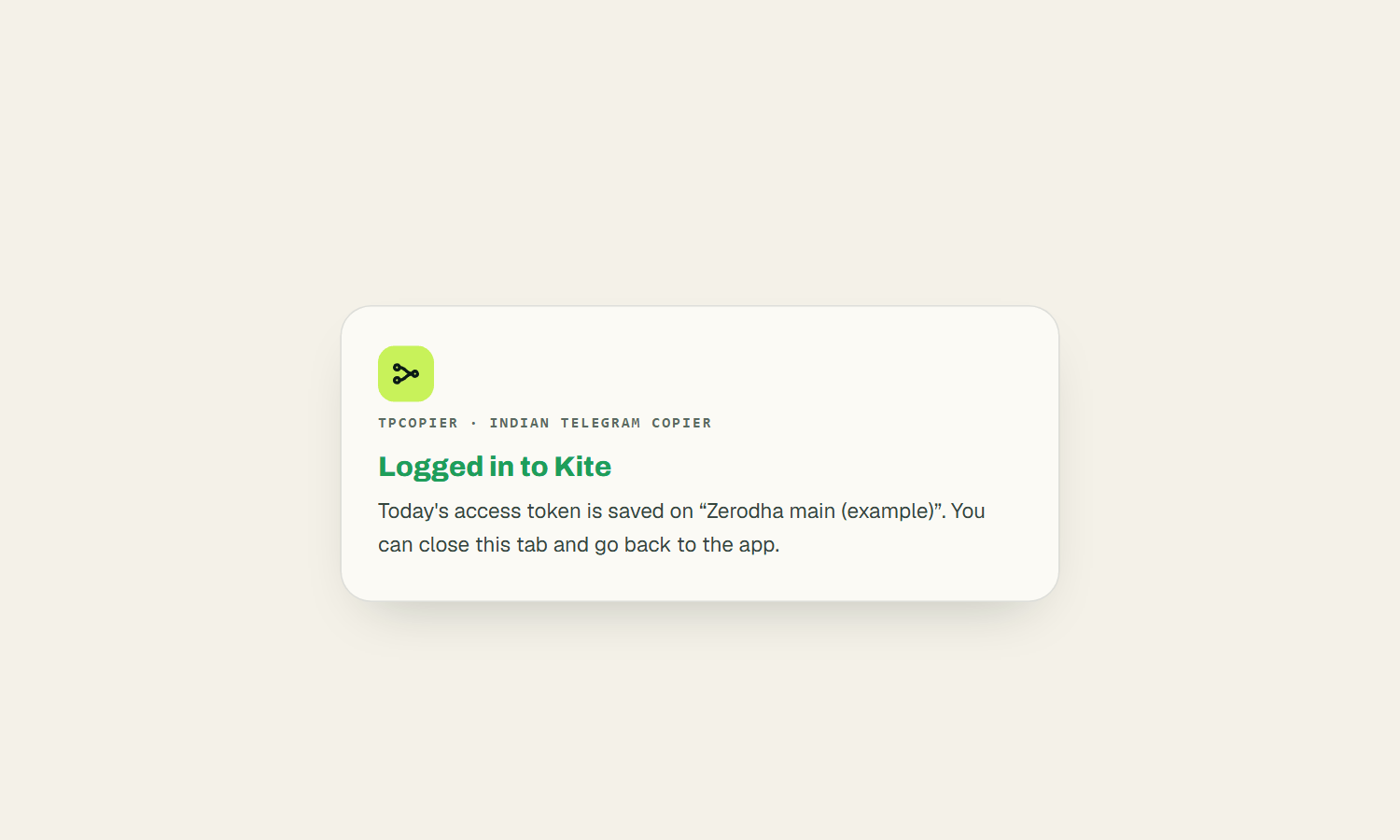
After Kite's login page, the app confirms it has today's token for the account (example name).
Each broker has its own step-by-step post: Telegram to Zerodha, Telegram to Angel One, Upstox, Dhan, Fyers, Groww, ICICI Direct, 5paisa, Kotak Neo and Alice Blue.
Paper trading first, then real money
A new account starts on Paper trading, which is where every Telegram to Zerodha copier setup should begin. It uses your broker's live prices, but the app fills each order itself, in its own book. Exits, stops, the square-off and the kill switch behave as they will live. When the paper trades look right, switch the account to Real in its Settings.
- Trading window: from 09:15 until 15:15 unless you change it, on Asia/Kolkata time. Nothing fires outside it.
- Repeats: channels often post a call twice, so the app drops a repeat within 300 seconds.
- Stop loss: it goes to the broker as a real order only once you switch that on. Then breakeven and trailing move it only in your favour.
- Kill switch: one switch stops every order at once, and Orders & P&L has a Square off everything button.
It has limits too. It does not trade futures, and it reads only channels your own Telegram account is in. While the PC or the app is off, nothing trades. Also, it does not pick signals: it places the ones you choose. SEBI does not regulate tips from unregistered Telegram groups, so the choice of channel is yours to make.
What the Telegram to Zerodha copier costs
The Indian TeleCopier is $150, paid once, for a lifetime licence on one computer. Broker accounts included: 1. Each extra account is $30, also paid once. The free demo runs 2 days with one broker account and a daily cap on new entries, but exits always go through. Buy, and your demo key turns into the lifetime key. All sales are final, so try the demo first.
The install guide walks through every screen, from the key to the first order.
Does your signal come from a TradingView strategy? See TradingView auto trading for India. Want every app side by side? Open the software page. Copying to MT4 or MT5 instead? That one lives in our cloud: the Telegram to MT4/MT5 cloud copier.
Can I copy Telegram signals to Zerodha automatically?
Yes. The Telegram to Zerodha copier reads the channel as you and places each call through Kite Connect, from your PC's static IP. See Telegram to Zerodha for every step.
Do I need to add a bot to the channel?
No. The app uses your own Telegram login, so private and paid channels you belong to work as well.
Why can't it run in the cloud?
SEBI's rule means your broker takes API orders from your registered static IP and nowhere else. So a Telegram signal copier India's brokers accept must run on your own PC or VPS.
What if a call has no strike price?
For BUY NIFTY CE, the app checks live option prices at your broker and buys the strike whose premium is nearest your target. If none is close enough, it skips the call.
Can I test it without real money?
Yes. Each new account starts on Paper trading, with live prices and fills simulated inside the app. Switch to Real in Settings when ready.
Does it trade futures?
No. Index and stock options, NSE and BSE shares, plus MCX and currency options at brokers that list them. A futures call gets turned down.
Is it only a Telegram to Zerodha copier, or other brokers too?
Other brokers too: Zerodha, Angel One, Upstox, Dhan, Fyers, Groww, ICICI Direct, 5paisa, Kotak Neo and Alice Blue, several accounts at once.
Risk warning: you can lose money trading options and shares. TPcopier places the calls you choose. It is not registered with SEBI as an intermediary, adviser or research analyst, and it gives no tips and promises no profit. Telegram and the broker names belong to their owners; TPcopier is not affiliated with them.
Your channels, your static IP.
Start the Telegram to Zerodha copier on Paper trading - 2 days free.