An MT5 API for MetaTrader accounts in the cloud.
The TPcopier MT5 API reads and trades MetaTrader accounts that run in our cloud. Your code sends HTTPS requests with one key and gets JSON back. MT4 works with the very same calls. Webhooks, live prices and the MT4/MT5 trade copier come with it too.
What the TPcopier MT5 API does
Every cloud MT4 or MT5 account in TPcopier gets its own MetaTrader terminal on our servers. The MT5 API talks to that terminal for you. So your program needs no VPS, no MetaTrader install and no SDK.
With one key you can:
- see the balance, open positions, pending orders and past deals;
- look up the broker's symbols, their details, prices and candles;
- open market or pending orders, then modify them, set breakeven or close them;
- receive a signed webhook as a position opens, changes or closes;
- copy one account's trades to others with the cloud copier.
It doubles as an MT4 API. MT4 accounts use exactly the same endpoints, and you pick the platform when you add the account. Each platform has a separate list of brokers and servers, so MT4 and MT5 never get mixed up.
Our developer docs name a few things people build on it. Think of a copy trading service, a Telegram signal bot, TradingView automation, a private trading app, or reports from read-only keys.
API keys, access and the rate limit
Access is switched on per workspace. First, create a free TPcopier account. Next, request access from the API page of the app. Once TPcopier turns it on, you make keys right there.
- A key is full or read-only. The read-only kind can look but never change anything.
- You see the key once, so store it like a password.
- Up to 20 keys per workspace.
- Send it as
Authorization: Bearer tpc_...or asX-API-Key: tpc_....
Each key gets 120 calls per minute. Go past that and the reply is 429, so your code should back off. Calls are counted, never billed. A key cannot create other keys or change a password either; those jobs stay in the app.
Keep the key on your server. A web page is the wrong place, since anyone can read it there. Instead, your page asks your server, and your server asks TPcopier.
A machine-readable OpenAPI spec covers each endpoint, at /api/v1/developer/openapi.json. The
API reference shows the same list on one page.
Adding an MT4 or MT5 account
An account that only your software trades needs one POST. It carries the platform, the login, the trading password, the server and a label. Then the terminal starts straight away, with no deploy step.
POST .../accounts
{"platform":"mt5","login":"7001234","password":"TRADING_PASSWORD",
 "server":"Broker-Live","label":"Client 1","bridge":"mt-api"}
The reply holds the new id and the slot it took. Later, the account list reports a wrong login, a wrong server, or a case our team is still putting right.
If you run a sign-up form, it can show the broker lists from our app. A search like
?platform=MT5&q=exness brings back up to 20 brokers, best match first. Every broker comes with its exact
server spellings, checked ones on top. A broker that is missing can be typed in by hand, and it joins the list once the
account signs in.
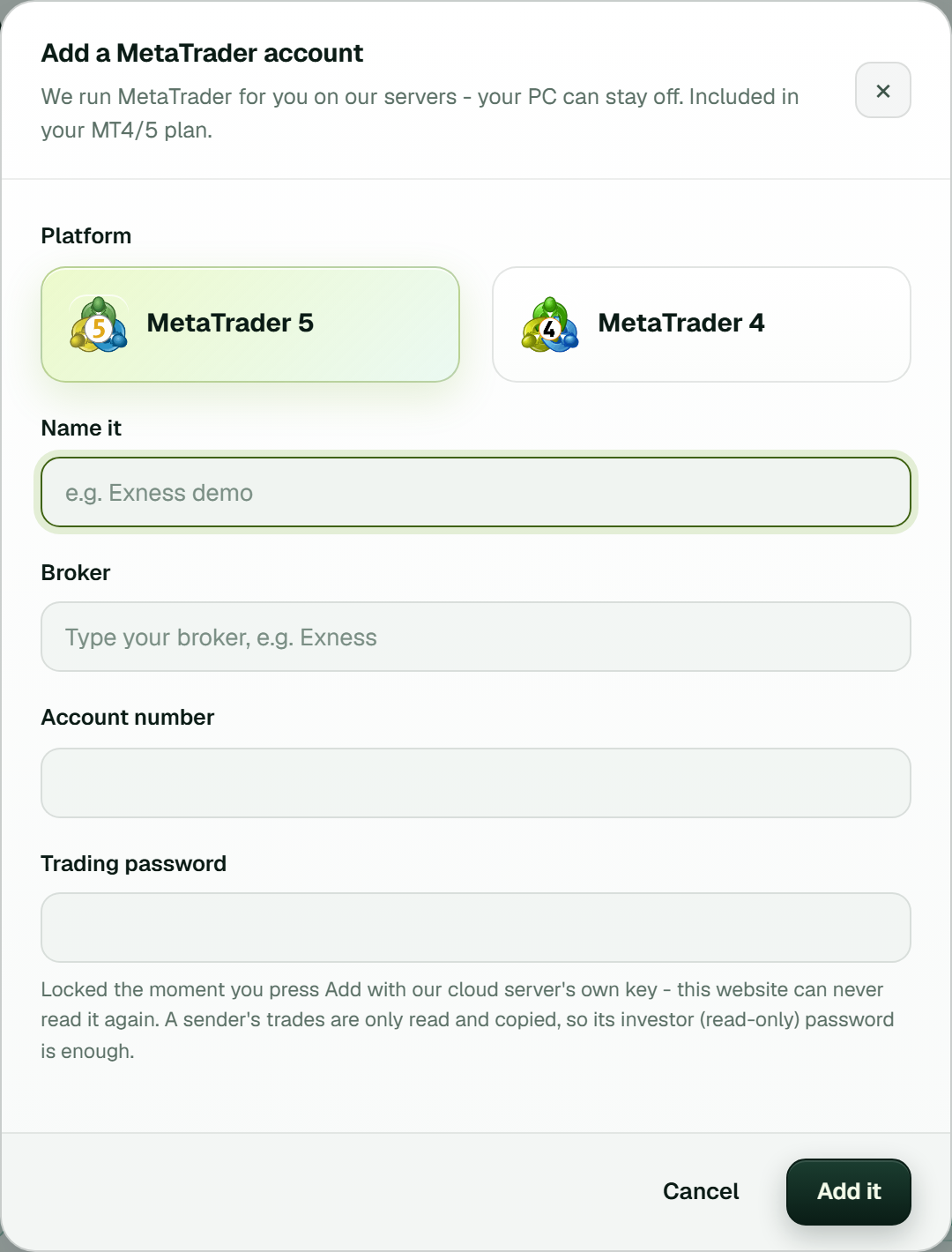
The app's Add a MetaTrader account window: platform, name, broker, account number and trading password. Through the API, the platform field makes the same MT5 or MT4 choice.
Live reads: an MT5 REST API
Reads go to the account's own terminal, so nothing is cached or stale. The main ones are:
account-information: balance and equity, margin, free margin, margin level;positionsandorders: everything open at this moment;history?days=30: deals with profit, swap, commission, comment and magic number;symbolsandsymbols/XAUUSD, plus itspriceandcandles?timeframe=H1&count=100.
Symbol names are matched per account. Ask for XAUUSD and a cent account trades XAUUSDc,
while another broker may call it GOLD. The reply tells you which name it picked. A missing instrument
returns 404, together with the nearest names the account does have.
Times come in the broker's own server time.
Placing and managing trades with the MT5 API
All trading goes through one endpoint, POST .../accounts/{aid}/trade, and the action name says what to
do. Here is a market buy from our trading guide, then MetaTrader's reply:
POST .../accounts/A/trade
{"action":"ORDER_TYPE_BUY","symbol":"EURUSD","volume":0.1,
 "stop_loss":1.0750,"take_profit":1.0950}

{"ok":true,"code":10009,"code_name":"TRADE_RETCODE_DONE","message":"done",
 "order_id":123456,"deal_id":7890,"price":1.0852,"volume":0.1}
The other actions are:
ORDER_TYPE_BUY_LIMIT,_SELL_LIMIT,_BUY_STOPand_SELL_STOP, each with anopen_price;POSITION_MODIFYfor a new stop loss or take profit (whichever you skip stays as it was);POSITION_BREAKEVEN,POSITION_PARTIALandPOSITION_CLOSE_ID;POSITIONS_CLOSE_SYMBOL,POSITIONS_CLOSE_ALL,ORDER_MODIFYandORDER_CANCEL.
Put a comment on an opening order and MetaTrader saves it with the order, the deal and the position. Your
system can then spot its own trades. MetaTrader caps a comment at 31 characters.
The action names match MetaApi's, and MetaApi-style camelCase field names are accepted. Coming from MetaApi? Our MetaApi alternative page compares the two.
Replies also break the time down, step by step, in ms: our checks, the hop to our cloud server, the wait in the terminal's queue, the broker's share and the ping. So a slow demo server is easy to spot.
Your own limits and the error codes
You can cap each account before your code goes live. One request sets the biggest lot per order, whether a stop loss is required, and the most orders in a UTC day:
PUT .../accounts/A/api-limits
{"max_lot":1,"require_sl":true,"max_trades_per_day":20}
New orders also get 423 while your Stop Trading switch is on or the workspace is paused. Closes and modifications always pass, since they can only reduce risk. We log each API order next to the reply it got.
When the broker says no, the reply has ok:false and MetaTrader's own code. On MT5, 10019 means no money,
10018 a closed market, 10016 invalid stops and 10027 Algo Trading switched off. MT4 accounts return MT4's own error
numbers. MetaQuotes documents each MT5 code in its
list of trade return codes.
| Status | What it means |
|---|---|
| 409 | The terminal is not connected now: starting, reconnecting or stopped |
| 503 / 504 | Our cloud server is busy this minute, or the terminal gave no answer in 30 s; try again |
| 401 / 403 | The key is unknown, or it may not do this (no access yet, or a read-only key) |
| 402 / 429 | Too little in your wallet for a payment / too many requests this minute |
Webhooks and live prices
For live work, set a URL plus a shared secret, and TPcopier posts each event to you:
position.opened,position.updatedandposition.closed, whatever placed the trade;account.connectedandaccount.disconnected;copy, sent for every copied or skipped trade, with the sender and receiver tickets andlatency_ms;protection.tripped, and events for accounts, slots and the wallet.
Every call is signed: an HMAC-SHA256 of the timestamp, a dot and the raw body, keyed with your secret. Reject a bad signature or a timestamp over five minutes old. Then reply with any 2xx within 8 seconds; a failed call gets two more tries. The webhooks guide has the check in Python and Node.js.
Live prices come as Server-Sent Events. A single connection carries as many as 20 symbols, read straight from the terminal. It lasts up to an hour, and five can run per workspace at once. Read it from your server, because a browser's EventSource cannot send the key.
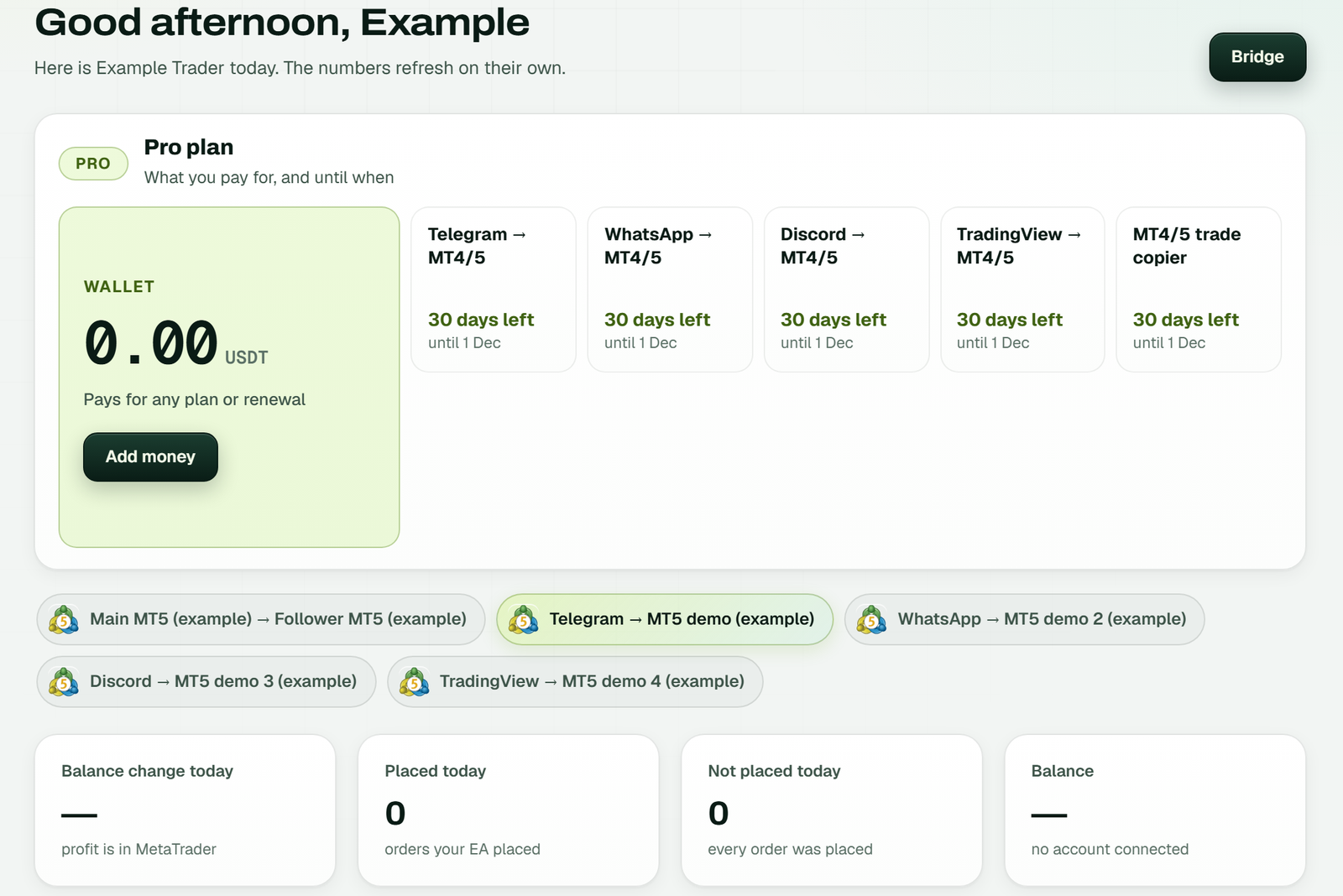
The app's Dashboard: the plan and wallet, your bridges and today's placed and not placed orders (example workspace). Pause and Stop Trading sit in the top bar; while either one is on, the MT5 API opens no new orders.
Running the MT4/MT5 trade copier by API
The same key drives the cloud trade copier. Add a sender, then add each receiver with the sender's id, and the pair becomes a pipeline. The sender only needs its investor (read-only) password, while a receiver needs the trading one.
Each pipeline keeps its own settings. Lots can be a multiple of the sender's, a fixed size, a risk percentage, or scaled by the two balances. On top of that come symbol exceptions, symbol filters, a time window and a stop after a set daily loss. A paused pipeline opens nothing new but still follows the closes of what it copied.
Speed: our part of each copy had a median of 7 ms, measured on live copies on 4 October 2026. That runs from spotting the sender's trade to sending the receiver's order. Execution at the broker took roughly 140 ms on top. Both numbers are for account-to-account copying only.
Each copy can be read back with both tickets, and a refused one says why. The MT4/MT5 cloud trade copier page explains the product, and the copier guide lists every setting.
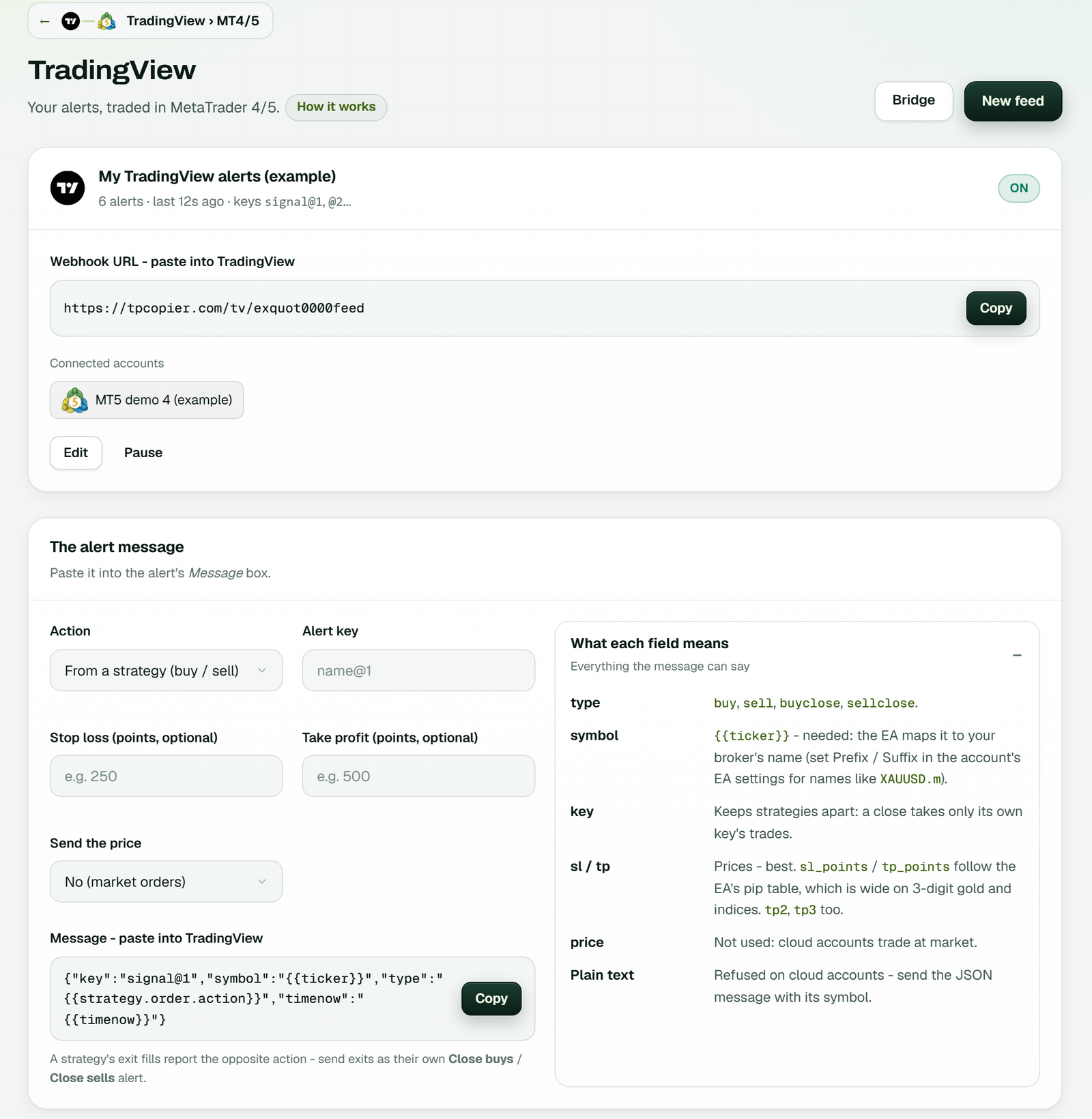
A TradingView feed linked to an MT5 account (example workspace). Besides the copier, the same key links feeds and signal channels to your accounts.
What the MT5 API costs
You pay per account, not per call. An account your software trades alone occupies one MT4/5 copier slot, priced at $6 for each account per month. It reuses a free slot if one is waiting. If not, a new slot is booked from your wallet the moment you add the account.
Each slot counts from its own start date and renews itself from your wallet one day before its end. You may also pay for 3, 6 or 12 months at the same monthly price. Delete an account, and its paid slot waits for the next one. In a copier, the sender account costs nothing when it has receivers.
Wallet top-ups are made in the app with USDT on TRC20. Payments are final, so test on a demo account first. All prices are on the pricing page.
What is the TPcopier MT5 API?
A REST API for MT5 accounts that run in TPcopier's cloud. It reads balances, positions, orders, history, prices and candles, and it opens, modifies and closes trades. Webhooks and the trade copier use the same key.
Is there an MT4 API too?
Yes. MT4 accounts use the same endpoints. You set the platform when you add the account, and MT4 has a separate list of brokers and servers.
Do I need a VPS or MetaTrader on my side?
No. Each account runs in its own MetaTrader terminal in our cloud. Your code only sends HTTPS requests.
Is this the official MetaQuotes API?
No. It is TPcopier's own API, and TPcopier is not connected to MetaQuotes. The API talks to a real MetaTrader terminal that runs your account in our cloud.
What is the rate limit?
Each key gets 120 calls per minute. Going over returns 429. Calls are never billed.
How much does the MT5 API cost?
Each account your code trades takes one MT4/5 copier slot, at $6 a month. Calls are free. A wallet you top up with USDT (TRC20) pays for it.
How do I get an API key?
Sign up for free and request access from the API page in the app. When TPcopier switches it on, you create full or read-only keys there.
Note: MetaTrader, MT4 and MT5 are names of MetaQuotes; TPcopier is not connected to MetaQuotes. MetaApi is a name of its owner. Risk warning: trading forex and CFDs can lose money quickly. TPcopier is software; it gives no trading advice and promises no profit.