A signal copier without VPS: cloud vs VPS.
Can you run a signal copier without VPS rental? Yes, because cloud vs VPS comes down to who runs MetaTrader. On a VPS you rent a Windows server, install MetaTrader and the copier, and keep both running. With a cloud copier like TPcopier, we run MetaTrader and the copier on our servers and you set it up on a website. For Indian brokers, though, the orders must leave from your own static IP.
The VPS way
Before you look for a signal copier without VPS, it helps to see what the VPS route asks of you. A desktop signal copier needs a computer that is on all day. Because a home PC sleeps, restarts for updates and loses power, most traders rent a VPS: a Windows server in a data centre. Then they install MetaTrader, sign in to the broker, attach the copier's EA and leave it running.
This works, and it gives you full control. However, you also become the server admin. You choose the plan, apply updates, restart MetaTrader when it freezes and check that Algo Trading is still on. MetaQuotes even sells its own VPS service for MetaTrader, which shows how common the need is.
A typical VPS day-one list looks like this: connect by remote desktop, install MetaTrader, log in, copy the EA file into the Experts folder, allow WebRequest for the copier's address, attach the EA to a chart and switch Algo Trading on. After that, every Windows update and every terminal crash is yours to notice. MetaTrader's own help on algo trading lists closing the platform or the chart among the ways an EA stops.

On a VPS, you keep Algo Trading on yourself.
The cloud way: a signal copier without VPS
A cloud copier moves all of that to the provider. With TPcopier, you add your MT4 or MT5 login on the website, and we start the terminal on our servers with the TPcopier EA inside. Your Telegram, WhatsApp and Discord sources are read on our servers too, and binary broker sessions live there as well. For a binary broker, you sign in yourself in a real browser window, and we keep only the session.
So you set lots, symbols and limits on the website, and the account's sign-in, EA and trades show there. Your PC and phone can be off. In the cloud vs VPS choice, this is the "nothing to look after" side.
On the website, MetaTrader always runs in our cloud. There is no EA to download and no key to paste: you add the account, and its card says Running once the terminal is up. If you would rather keep MetaTrader on your own PC or VPS, our pay-once Windows apps do that, as explained further down.
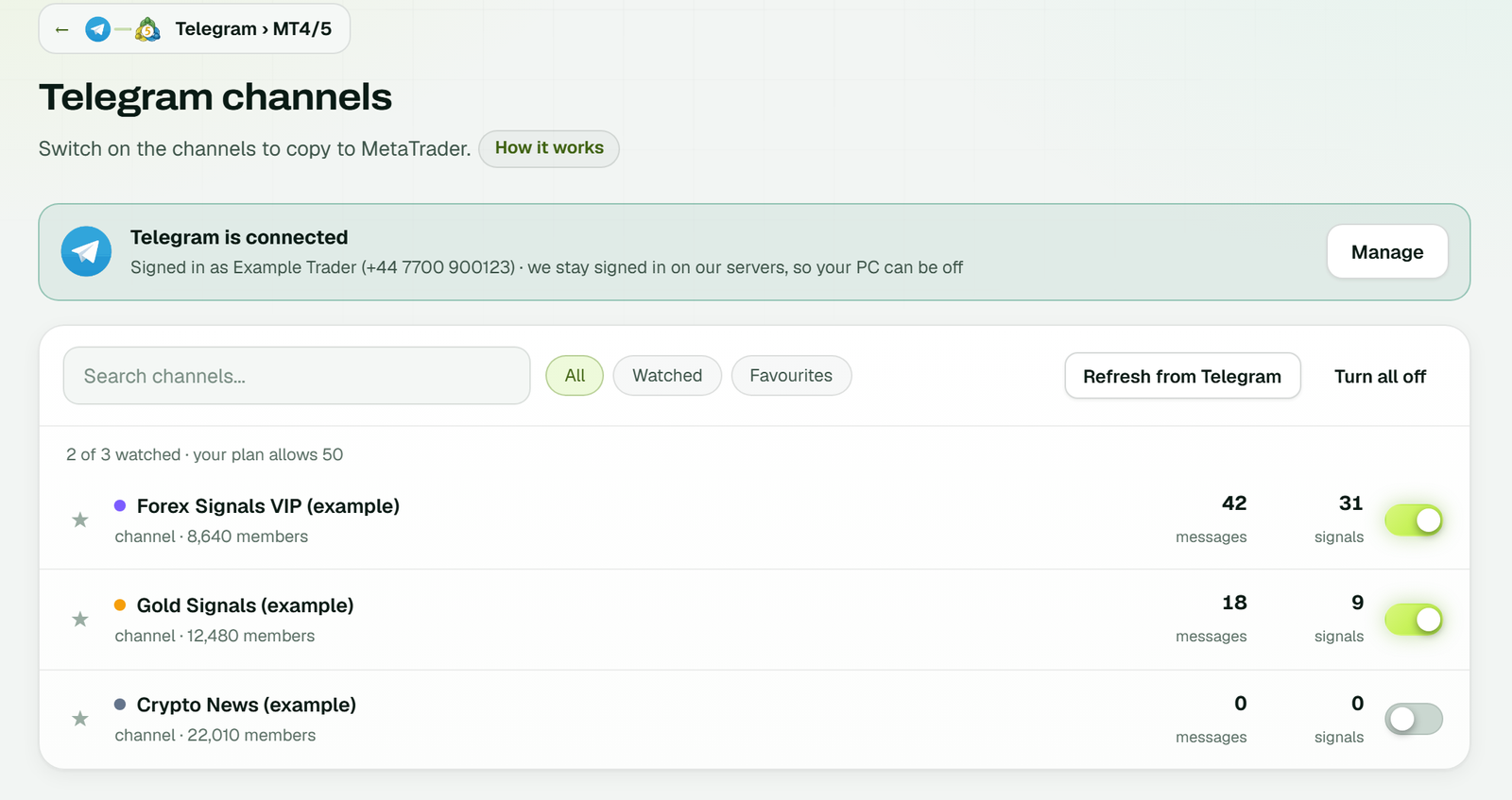
Telegram stays signed in on our servers, so the channels you switch on are read while your PC is off (example workspace).
Cloud vs VPS, side by side
| Point | Copier on your VPS | TPcopier cloud |
|---|---|---|
| Who runs MetaTrader | You | We do |
| Setup | Rent, install, sign in, attach the EA | Add the login on a website |
| Updates and restarts | You | We do |
| Where the channels are read | On the VPS, by the copier you installed | On our servers |
| Your MetaTrader password | Stays on your server | Sealed with the cloud server's key as you type it |
| Which EA trades | Any EAs you install | The TPcopier EA |
| Changing settings | In the terminal, by remote desktop | On the website; saved settings apply in a few seconds, no restart |
| Indian brokers (SEBI static IP) | Works, with the VPS IP registered | Not possible: use the local software |
| Bills | VPS plus copier licence | One monthly price per bridge |
Read down the columns and the trade is plain. A signal copier without VPS hands the server work to us; a VPS keeps that work, and the freedom that comes with it, on your side.
Set up a signal copier without VPS in 5 steps
Here is the whole route on a demo account, start to first trade.
- Open a free trial. No card is asked, and the clock starts at your first link, not at sign-up.
- Connect a source. Telegram signs in with your phone number and a code, WhatsApp links with one QR scan, and Discord takes a QR code, a password or a bot token.
- Add your MetaTrader login. Pick our cloud, then MT4 or MT5, and give the account number, server and trading password.
- Set the EA on the website. Lot size, symbol names, limits and the rest sit under the account's EA settings.
- Link and watch on demo. Connect the channel to the account on the Bridge, then follow the first signals on a demo account.
On MT5, the account must be a hedging one, because the EA opens one position per take profit. The source-by-source details are on the Telegram to MT5 copier page.
What you pay for
A signal copier without VPS still costs money, but it arrives as one bill. On a VPS you pay two bills: the server, at the host's price, and the copier, at its own price. We cannot quote VPS prices for you, because they vary by host and plan. In the cloud, the price of a TPcopier MT4/MT5 plan includes the cloud terminal.
| Route | What you pay |
|---|---|
| Telegram, WhatsApp, Discord or TradingView to MT4/5, in the cloud | $40 for 2 accounts, $60 for 3, $90 for 5, $150 for 10 and $200 for 15 a month each, terminal included |
| MT4/5 trade copier, in the cloud | $6 a month per account, terminals included |
| Signals to binary brokers, in the cloud | $50 a month with 1 account, then $20 for each one more |
| Any copier on your own VPS | The host's price plus the copier's price |
| Binary copier software, on your PC or VPS | $350 once, with 2 accounts and $30 for each one more |
| Indian TeleCopier or TvCopier, on your own PC | $150 or $150 once |
Cloud plans are paid for 1, 3, 6 or 12 months with Binance Pay or your TPcopier wallet, and nothing renews by itself. All payments are final, so test first. See the pricing page for every plan.
What can go wrong with each
Every setup can fail, so it helps to know how. On a VPS, the usual causes are a frozen terminal, a Windows update restart, Algo Trading switched off or a full disk. You find out when a trade is missing, unless you check often.
A signal copier without VPS has failure points too; they simply sit on our side. The same risks exist, and they are ours to handle. For example, when a terminal restarts, TPcopier reconnects the accounts and a copied trade is never opened twice. Also, the website tells you when an account needs you, such as a broker login that ended. Still, you depend on our servers, so test on demo and watch the first days.
| Symptom | On your VPS | In TPcopier's cloud |
|---|---|---|
| No trades at all | Check the terminal is open, logged in and Algo Trading is on | Read the account's log on the website |
| A signal was refused | Read the EA's journal on the VPS | The Signals tab shows the EA's answer and its reason |
| Wrong symbol | Edit the EA's inputs in the terminal | Set Prefix, Suffix or Replacements in EA settings |
| Password changed at the broker | Log in again on the VPS | Type the new one on the account's card |
When your own PC or VPS wins
A signal copier without VPS is not always the right answer. Three cases point the other way:
- Indian brokers. Under SEBI's retail algo framework, your broker accepts API orders only from a static IP you register with it. So the Indian TvCopier and TeleCopier run on your own PC or VPS, and its static IP must be the one whitelisted with your broker.
- Other EAs. If you want several third-party EAs on one terminal, your own VPS gives you that freedom.
- Pay once. If you prefer one payment over a monthly plan, the local software fits.
TPcopier also makes pay-once Windows apps for MetaTrader, one per source: Telegram, WhatsApp and Discord. Each one finds the MT4 and MT5 terminals on that computer and lets you install its EA into them, as the Telegram to MT4/MT5 install guide shows. Because they run on your machine, that machine has to stay on.
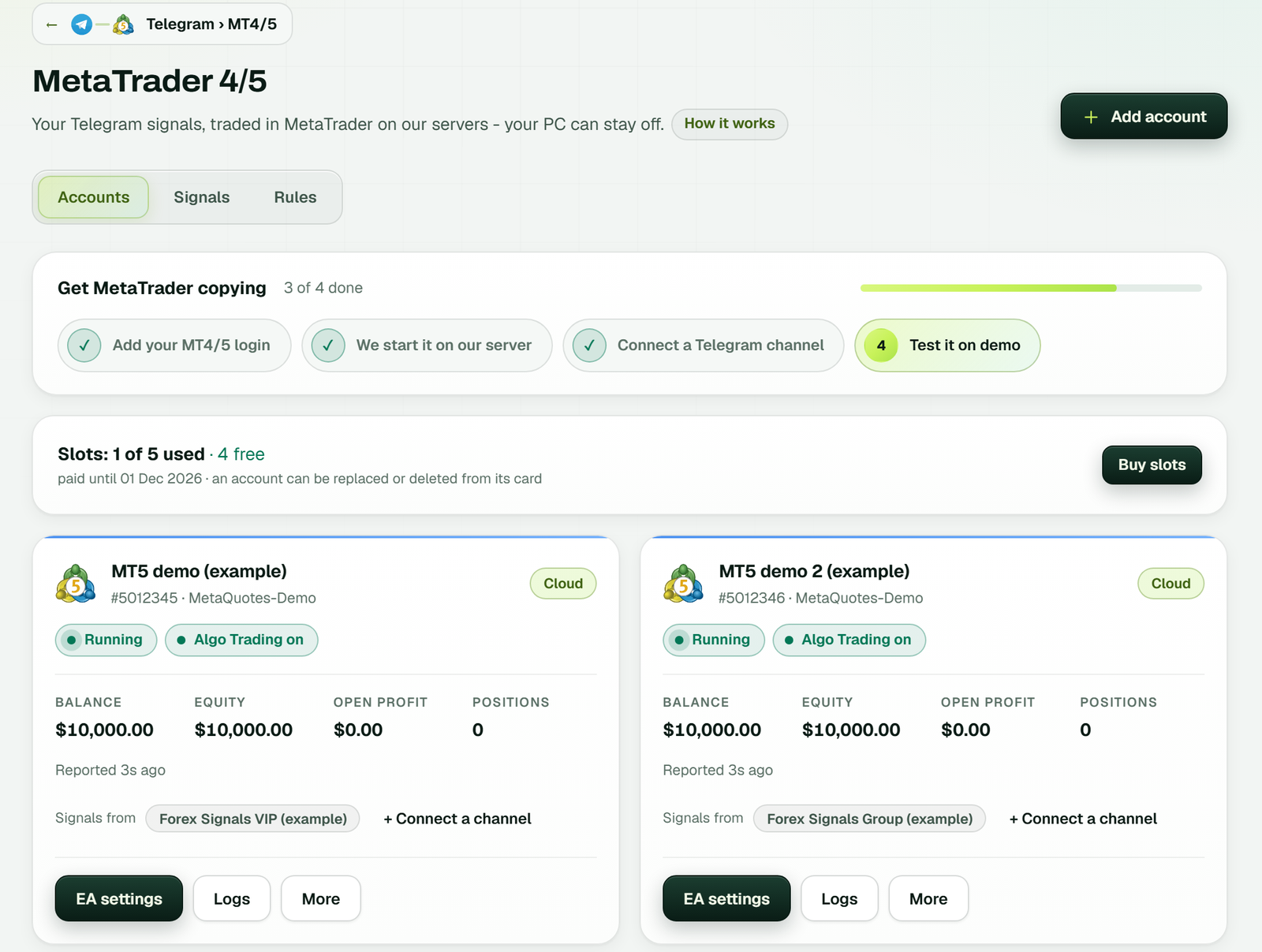
On the website itself, each account runs in our cloud: its card shows Running, Algo Trading on, balance and equity, with no key or EA to install (example workspace).
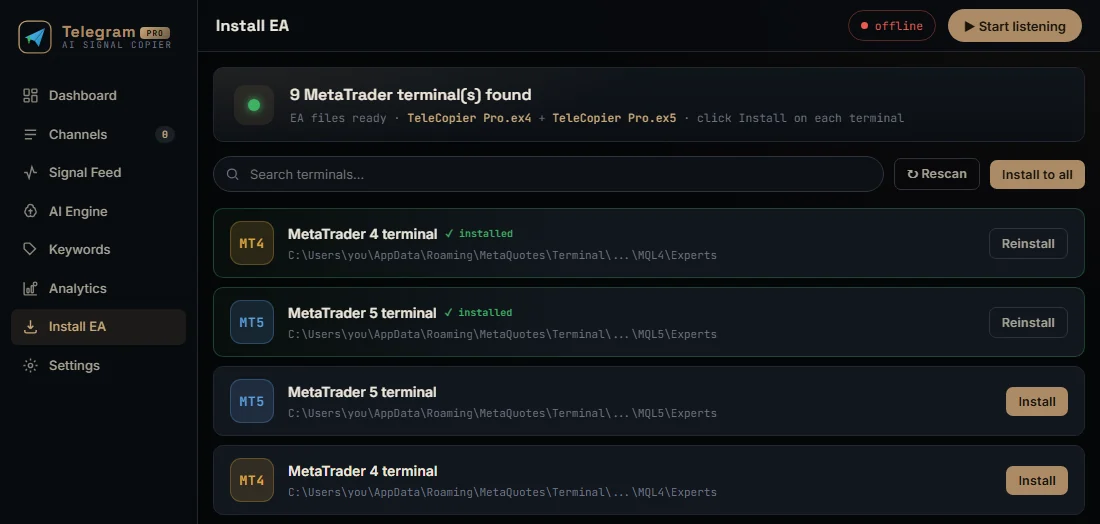
The Windows app's Install EA page lists every MetaTrader terminal it found on that computer.
Ready for the cloud? Start with the Telegram to MT5 copier, TradingView to MT5, the cloud trade copier or the binary options signal copier. More on running MetaTrader without a VPS is in the EA without VPS guide.
Is a cloud copier better than a VPS?
It depends on what you want to look after. A VPS gives you full control but you run it. A signal copier without VPS runs MetaTrader for you, but you use the provider's EA.
Can I copy Telegram signals to MT5 without a VPS?
Yes. TPcopier runs your MT5 or MT4 account and reads your channels on its servers, so your PC can be off.
Do you need my MetaTrader password?
In the cloud, yes, because the terminal has to sign in. The cloud server's own key seals it as you type it. On your own PC or VPS, the EA uses a TPcopier key instead.
Can I keep MetaTrader on my own VPS and still use TPcopier?
Yes. Add the account as your own PC or VPS, paste its TPcopier key into the EA, and we read the channels in the cloud.
Can I run other EAs in the cloud terminal?
No. The cloud terminal runs the TPcopier EA. For third-party EAs, keep your own VPS.
Why do the Indian apps not run in the cloud?
Under SEBI's retail algo framework, an Indian broker accepts API orders only from a static IP registered with it. So the orders must leave from your own PC or VPS.
What does a signal copier without VPS cost?
Telegram to MT4/5 is $40 for 2 accounts, $60 for 3, $90 for 5, $150 for 10 and $200 for 15 a month, with the cloud MetaTrader included. The free trial lasts 2 days.
Risk warning: trading forex, CFDs and binary options carries a high risk of losing money. TPcopier is software; it gives no trading advice and makes no promise of profit. MetaTrader is a trademark of its owner; TPcopier is not affiliated with it.