Telegram to Upstox: Copy Option Calls in 7 Easy Steps
A call lands in your Telegram channel at 10:02. You open Upstox, find the contract and type the order. By then, your price is worse than the one posted. Telegram to Upstox copying closes that gap. The Indian TeleCopier reads the channel through your own Telegram login, not a bot, and sends the order to Upstox's API from your own computer.
That last part is the legal bit. Under SEBI's rules since 1 April 2026, a broker may accept an API order only from a static IP on the client's file. So Telegram to Upstox copying runs as Windows software on your PC or VPS, with a free demo key first. You'll also need an Upstox API app, your Telegram account and an AI key.
Where Upstox differs from other brokers
- A day token. Upstox issues an access token through its own login, and it lasts one trading day.
- Instrument keys, not symbols. Upstox names every contract by an
instrument_key. The app downloads and caches Upstox's instrument list and finds the key for you. - Its own order host. Orders go to Upstox's low-latency (HFT) address rather than the general API.
- Slicing. Upstox cuts an order above the exchange freeze quantity into legal pieces, and the journal lists every order id.
- A whole-number band. For a market order, Upstox takes a protection band of 1 to 25 per cent, never zero.
Telegram to Upstox in 7 steps
1. Get the key and the download
Everything in this step happens on tpcopier.com. Create a TPcopier account, open the Indian Copier page and press Get my free demo key on the Indian TeleCopier card. Copy the key, then press Download for Windows. The demo covers two days from the moment you activate it, with up to 10 signals a day. If you buy, that same key turns into your lifetime key.
2. Activate on the static-IP machine
Run the download on the PC or VPS whose address you'll register at Upstox. On Windows 10, the app first lists any missing part, such as Microsoft WebView2, and waits for your go-ahead. Then the licence screen asks for your key. Paste it and press Activate. Each key works on one computer.
 The Activation needed screen, with this computer's name above the key box (example name).
3. Register the address with Upstox
The Dashboard opens with a dark Static IP band, and that's the address Upstox will see. Press Copy. At Upstox, create your API app if you haven't yet, and register this address there. The Upstox API documentation covers their side.
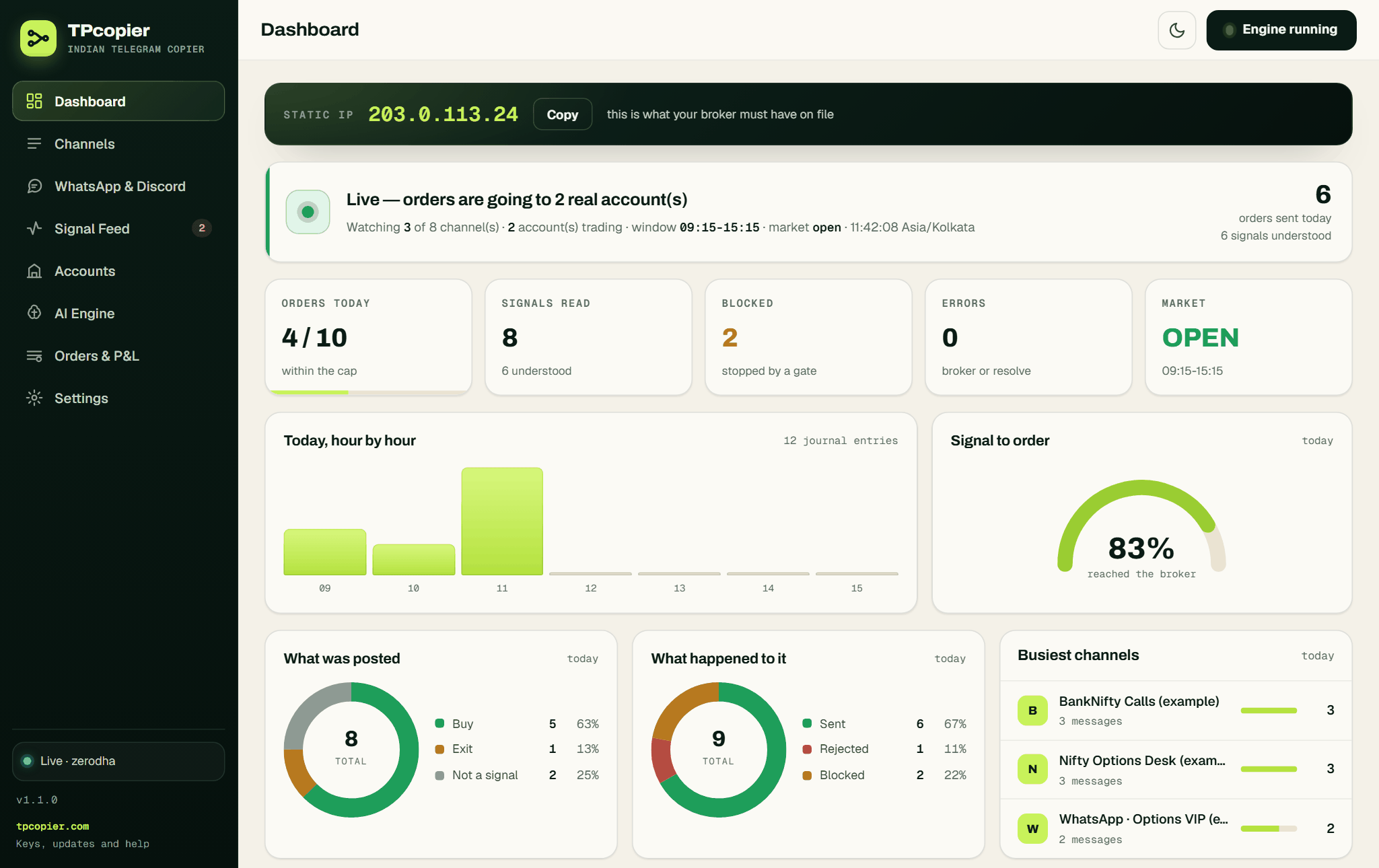 Beside the address, the band reads "this is what your broker must have on file" (example data).
4. Add the Upstox account
Open Accounts, press + Connect a broker and pick Upstox. Paste the day's Access token. The API key and API secret boxes are optional here, because the token alone signs each order. Press Save this account, then Test the connection. You should see "connected as" and your Upstox name.
 The Upstox form: the Access token expires every trading day, while the key and secret are optional (example).
5. Sign in to Telegram
Under Settings → Telegram, look for API ID and API hash boxes. If they're there, get both free from my.telegram.org → API development tools, paste them and press Save everything. Telegram's own page on API IDs explains that form. Then press Sign in to Telegram and give your number in international format. The login code arrives in the Telegram app, never by SMS. Enter it, press Verify, and type your two-step password if your account has one.
 The Telegram tab before sign-in, with the optional confirmation bot on the right.
6. Pick channels and the AI engine
On Channels, press Refresh from Telegram. Switch on each channel you want to copy, then open it to set This channel's size or tick the accounts under Trade it on. Last, open AI Engine, choose Groq, OpenAI or DeepSeek, paste your own API key and press Use this engine.
 An opened channel with its size box and three accounts under Trade it on (example channels).
7. Run a quiet session, then go live
Keep the Upstox account switched off and press Start engine. The Signal Feed logs every post and what the app made of it, while nothing goes to Upstox. When the reading matches yours, switch the account on with a small Its share of every order. From then on, Orders & P&L shows what's working at the broker, what filled, what the broker refused and what you hold.
 A stop waiting at the broker, the day's filled and refused orders, and open positions (example data).
The Upstox access token, every trading day
The Access token box carries its own warning: "EXPIRES EVERY TRADING DAY - generate it each morning from your Upstox app's login". It's the one daily task in Telegram to Upstox copying. Log in through your Upstox app, copy the new token, paste it, then press Save this account and Test the connection.
Miss a morning and Upstox replies with HTTP 401. The app turns that into "the access token has expired - Upstox tokens last one trading day". You'll see it on the account row, and on Orders & P&L when the app can't read your book. A fresh token fixes every screen at once.
One Telegram to Upstox call, followed through
Here's a stock option call the way a channel might write it. It's an example, not a real signal:
SBIN 850 CE BUY ABOVE 12.40
SL 9.50
TGT 15.50 / 18
The model reads a buy of the SBIN 850 call, entry 12.40, stop 9.50, targets 15.50 and 18. It copes with Hinglish and messy layouts too. Then comes the Upstox side:
- It looks up SBIN 850 CE in Upstox's instrument list and takes the nearest expiry, unless the post names one. That list also gives the lot size and the price step.
- It sends a LIMIT at 12.40, because the post named a price. Without one, it sends a protective limit 0.5% through the last traded price.
- Your Product setting picks
Ifor intraday orDfor delivery, the letters Upstox uses. - The order carries the tag
telebridge, trimmed to Upstox's 20-character limit.
With protection switched off, a market order goes out with a band instead. The app sends Upstox a whole percent between 1 and 25, so a setting under 1% goes as 1%.
Shares go to NSE first
For shares, the app trades the quantity in the post, such as qty 30. Many stocks trade on both NSE and BSE, and Upstox's list holds both. The app picks NSE, because that's what a cash call means. It falls back to BSE only when a stock isn't on NSE at all, and then it labels the order BSE so nothing surprises you.
Exits and stops at Upstox
An exit closes what you really hold. The app reads your positions from Upstox, finds the contract by its instrument key and closes exactly that amount. It also cancels any entry order still working on that contract, so a late fill can't reopen the trade.
Stops stay off until you switch on Send the stop loss as a real order. After that, the app places each stop once its entry fills. For trailing, it fetches every price in one call, from Upstox's newer quote service first and the older one as a fallback. A rate-limit reply is the exception: both services share one limit, so the app never retries it on the other.
Reading Upstox's refusals
Upstox returns its reasons as a list, often with a code, and the app shows the code in brackets. UDAPI100050, for instance, marks a dead token. Other lines you may meet:
- "Upstox has no SBIN 815 CE - check the strike is one the exchange actually lists": the post named a strike Upstox doesn't have.
- "RELIANCEX is not in the Upstox NSE cash list": a typo in a stock name, or a stock missing from both books.
- "changed from" on the Static IP band: your public address moved, so register the new one with Upstox.
Calls from WhatsApp or Discord
This app reads Telegram channels only. Its WhatsApp and Discord relay was removed on 22 October 2026, so a tipster who posts only in a WhatsApp group or a Discord channel can't be copied to Upstox. WhatsApp to Upstox lists the routes that do work.
What the app will not do
It won't trade futures. It reads such a call, refuses it and says so in the Signal Feed. To watch a channel first, keep the account on Paper trading, the default for a new account. It can't work while your PC is off, and by default it only sends orders between 09:15 and 15:15.
FAQ
Does the Upstox access token really expire every day?
Yes. Upstox issues it through its own login, and it lasts one trading day. Paste a new one each morning, then press Test the connection to confirm it works.
Do I need the API key and secret in the app?
No, both boxes are optional. The access token signs every order. Keep your Upstox API app itself, though, because the token comes through its login.
What happens to a 30-lot call at Upstox?
Your account's Most lots in one order decides first. It starts at 1, so the app refuses a 30-lot call until you raise it. Above the exchange freeze quantity, Upstox then slices the order, and the journal lists every piece.
Is Telegram to Upstox copying allowed under SEBI's rules?
The orders leave from a static IP registered to you, through Upstox's own API. That's the setup SEBI has asked for since 1 April 2026. A copier also stays far below 10 orders a second, above which the exchange wants a registered strategy.
What does the app cost?
The demo is free for two days, with up to 10 signals a day. The lifetime licence costs $150 once, for one computer, and sales are final. See pricing for the current figure.
Start small
Take the free demo from the Indian Copier page, connect Upstox and let one channel run with the account switched off for a session. When the Signal Feed shows every call read the way you'd read it, switch on with a small share. That's a careful start to Telegram to Upstox copying. If your signals come from charts, see TradingView to Upstox. For a broker without the daily paste, read Telegram to Angel One. For the app across all ten brokers, open the Telegram signal copier for Indian brokers page.
Risk warning: trading options and shares carries a high risk of losing money and is not suitable for everyone. Nothing here is investment advice.