Telegram to Zerodha Signal Copier: Kite Setup in 10 Steps
A NIFTY channel posts a call. By the time you find the strike in Kite and type a price, the premium has moved on. A Telegram to Zerodha copier takes that typing off your hands: the Indian TeleCopier reads the channel with your own Telegram login and places the call in your Zerodha account through Kite Connect, Zerodha's trading API.
It's a Windows app for your own PC or VPS, and that's down to the rules. SEBI's retail algo framework came fully into force on 1 April 2026, under its September 2025 circular, and the exchanges' standards for it have brokers accept API orders only from a static IP the client has registered. So the order has to leave from your machine. The Telegram to Zerodha copier page gives the short version across all ten brokers. The Kite facts below were checked on kite.trade on 5 November 2026.
What you need before you start
- Kite's paid Connect plan. Kite's free Personal plan covers orders but has no live market data, and the app asks Kite for the last traded price, for example to put a protective limit on a call with no price. That data comes with the Connect plan, listed on kite.trade at ₹500 a month.
- A static IP registered with Zerodha, on a Windows PC or VPS that runs through market hours.
- The TPcopier app and a licence key. The free demo comes first.
- Your Telegram account, already in the channel.
An AI key of your own is optional. The app reads each post with TPcopier's built-in reader, and the AI Engine page lets you switch to your own OpenAI, Groq or DeepSeek key if you prefer.
The setup in 10 steps
On tpcopier.com and at Zerodha
-
Get a key and the download. Create a TPcopier account, open the Indian Copier page and press Get my free demo key. The demo runs two days from activation and acts on up to 10 signals a day. Download for Windows sits on the same card. If you buy later, the demo key becomes your lifetime key.
-
Create your Kite Connect app. On developers.kite.trade, make an app and note its API key and API secret. Register your static IP with Zerodha too; step 4 shows the exact address. Zerodha's Kite Connect documentation explains its side.
In the app: licence, address and account
-
Install and activate. Run the download on the machine that owns the static IP. Windows 11 already has Microsoft WebView2, and on Windows 10 the app asks before it downloads anything missing. Paste your key on the Activation needed screen and press Activate. One key covers one computer.
 The licence screen names this computer and asks for the key TPcopier gave you (version 1.1.0, example computer name).
-
Copy the address Zerodha must know. The Dashboard opens with a dark Static IP band. That's the address Zerodha sees, so press Copy and register exactly that one.
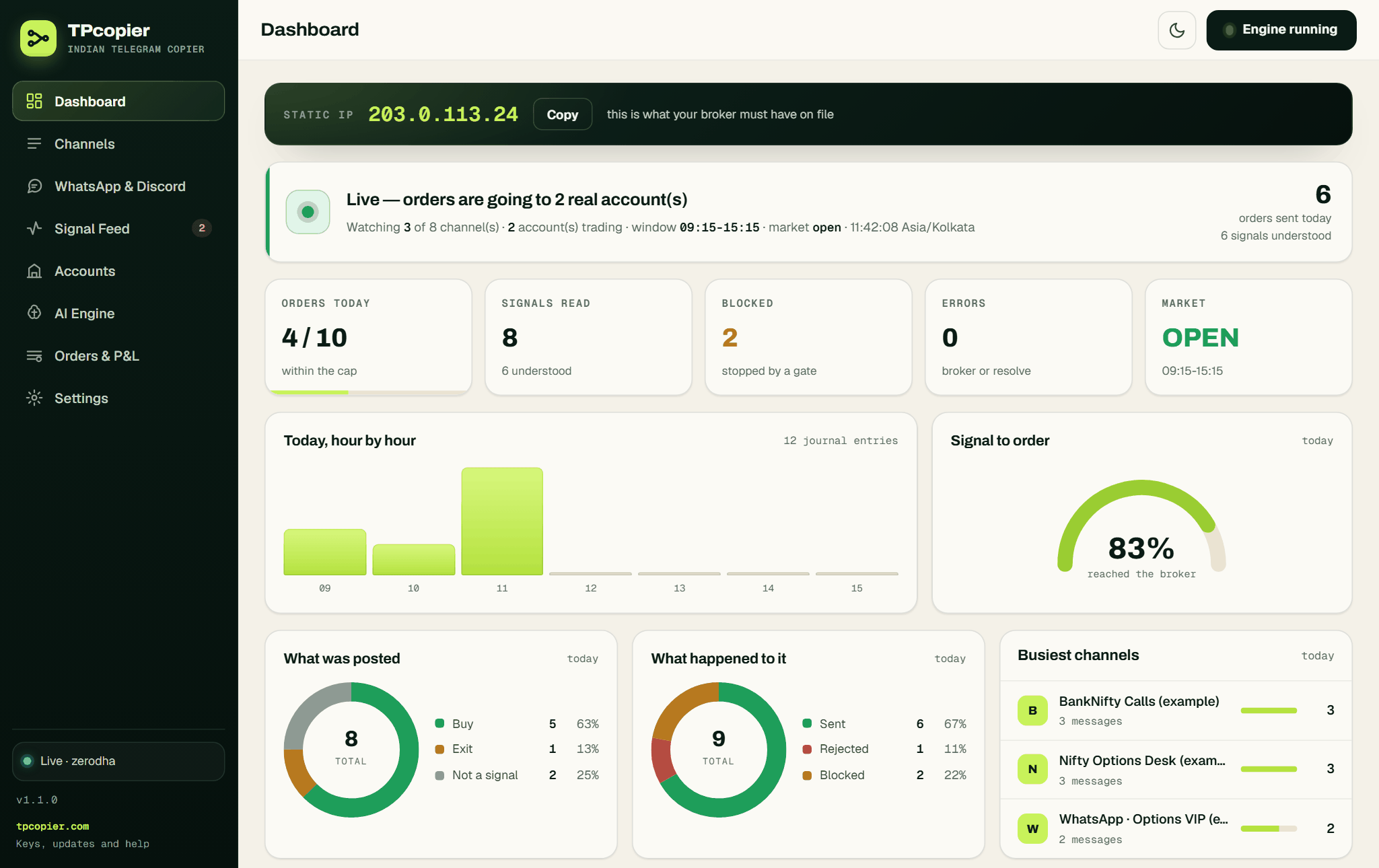 The Static IP band with its Copy button, above the day's tiles and charts (version 1.1.0, example data and a documentation IP).
-
Add the Zerodha account. Go to Accounts, press + Connect a broker and pick Zerodha (Kite Connect). Name it and paste the API key and API secret. Leave Static IP for this account empty unless this PC has two internet connections, then save and test the connection.
 A new Zerodha account with empty key boxes and the Log in with Kite panel. Shown in version 1.1.0, whose "share of every order" box has since been replaced (example).
-
Log in with Kite. First, and only once, set the Redirect URL in your Kite Connect app. Use the address the account shows, normally
http://127.0.0.1:51203/zerodha/callback. Now press Log in with Kite. Kite's own login page opens in your browser and you sign in there as usual. Kite then sends the browser back, and the app saves today's access token on the account. A good connection test reads "connected as" and your Kite name.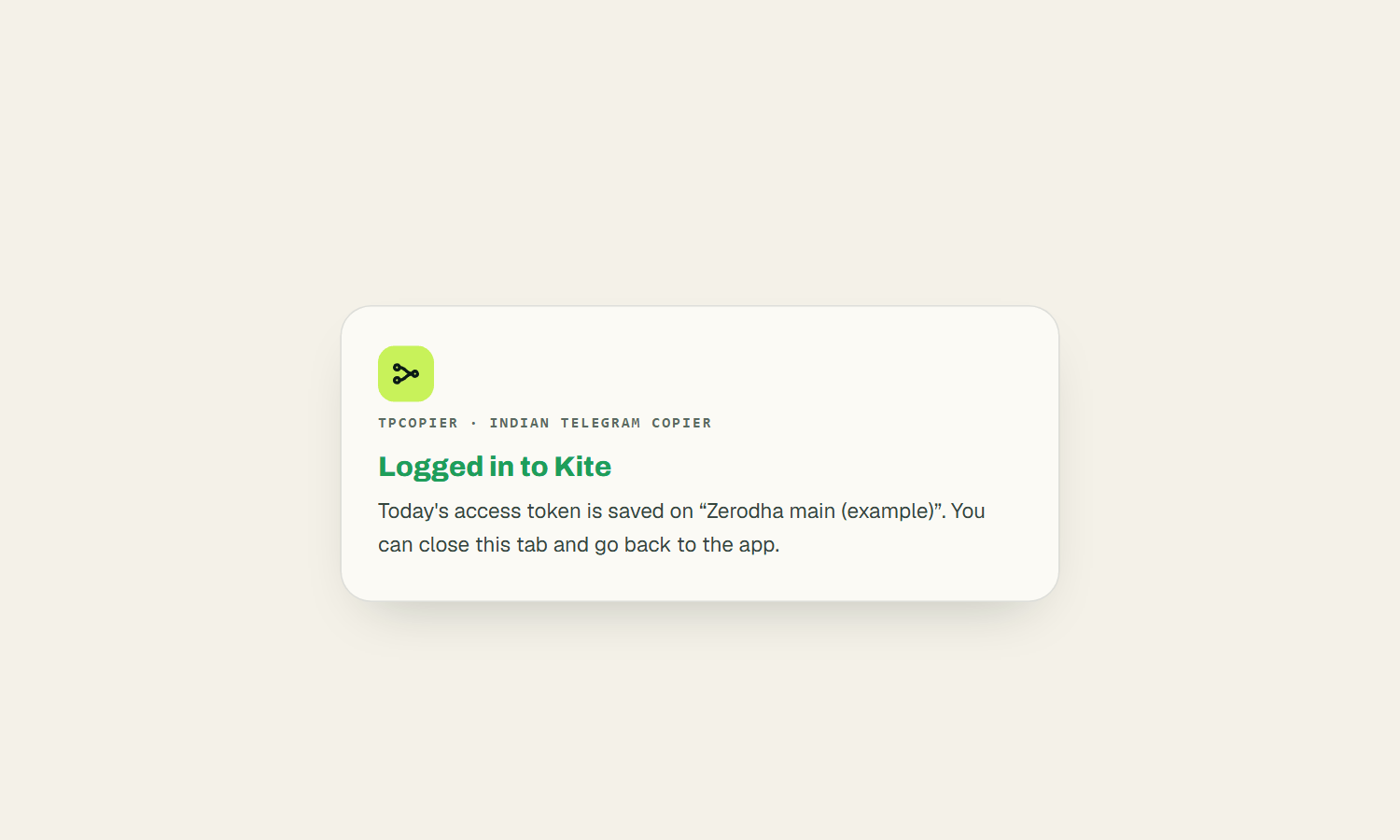 The app's own page after Kite's login, confirming that today's access token is saved on the account (example account name).
Telegram and channels
-
Sign in to Telegram. The app carries its own Telegram API ID, so there is nothing to create at my.telegram.org. Press Sign in to Telegram on the bar at the top of Channels, enter your number in international format and press Send login code. The code lands in the Telegram app on your phone, not in an SMS. Type it, press Verify, and give your two-step password if you set one.
 Sign-in needs only your phone number and the code Telegram sends to your phone (version 1.1.0).
-
Switch on the channel. On Channels, press Refresh from Telegram, and every channel and group you're in shows up with a switch. Turn on the ones worth copying. Open one to set This channel's size or to tick accounts under Trade it on. With nothing ticked, it trades on every account that's switched on.
Size and a paper run
-
Set the size for each market. On the account, each market has its own tab. Fixed lots uses Lots per trade (1 to start) whenever the post names no size. Auto lots, from the stop loss works the lots out from a rupee risk you set: risk ÷ ((entry − SL) × lot size), rounded down, and it skips the trade if one lot already risks more. A post with no stop is taken at the fixed size.
-
Read before you trade. Under the Signal Feed sits the Parser Lab. Paste a few real posts there and press Parse only, which shows how the app reads each one and never places an order. A new account is offered with Paper trading ticked, so its orders fill in the app's own book at Kite's prices. Press Start engine, run a session on paper, and switch the account to real with a low Most orders in a day once the reading looks right.
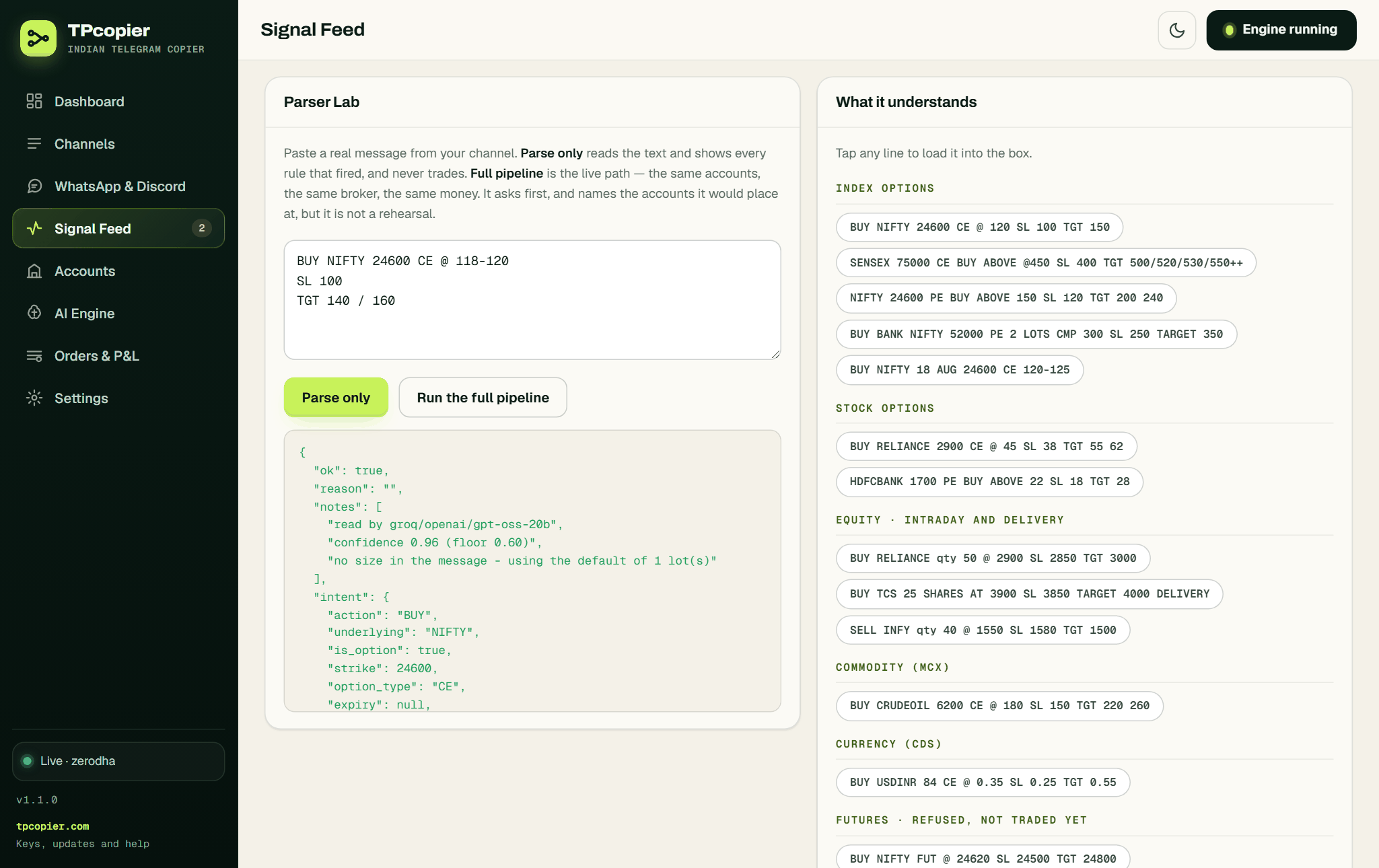 Parse only shows which model read the post, how sure it was and what it understood, and it places nothing (version 1.1.0, example message).
The morning Kite login
Kite's access token expires at 6 AM on the next day, a regulatory requirement according to Kite's login documentation, so renewing it is the one daily step. Log in with Kite does it without any pasting. After you sign in, Kite hands the app a request token, and the app trades it for the day's access token using the SHA-256 checksum Kite asks for.
Your morning is one press and one sign-in on Kite's page, and your Zerodha password never passes through the app. A login you start from the app works once and must finish within ten minutes. Pasting a token still works. The Access token hint reads "EXPIRES EVERY TRADING DAY - press Log in with Kite each morning, or paste one here".
Forget, and the first call of the day fails with "Kite refused the access token - it lasts one trading day." Press the button and test again. Angel One needs no morning step at all, and Telegram to Angel One explains why.
How the app reads a call
Here's an example of a post, not a real signal:
NIFTY 24750 PE BUY @ 132
SL 110
TARGET 155 / 180
The reader takes it in any layout or language, Hinglish included. From this post it takes a buy of the NIFTY 24750 put, entry 132, stop 110 and targets 155 and 180. The post names no expiry, so the app picks the nearest one in Zerodha's instrument list. It names no size either, so the account's market tab decides, as in step 9.
After that, the app checks the reader's answer on its own. NIFTY strikes move in 50s, so it refuses a typo such as 24740 rather than rounding it. Futures calls stop there too, with "futures are not supported yet" in the Signal Feed. A bare SELL opens a short, so an exit needs a word such as EXIT, BOOK PROFIT or SL HIT. If you never want shorts, switch off Let SELL open a short on the account.
How a call becomes a Kite order
- Contract: the app matches name, strike and CE or PE in Kite's own instrument file. If a post names an expiry Kite doesn't list, the app refuses it and shows the nearest dates Kite has.
- Product: Intraday goes as MIS. Delivery or carry goes as NRML on an option and as CNC on NSE shares.
- Price: a call with a price becomes a LIMIT at that price. Without one, the app sends a protective limit 0.5% through the last traded price by default.
- Market orders: when one does go out, it carries Kite's market-protection band, as the 2026 rules require.
- Tag: each order carries
telebridge, which makes the copier's orders easy to spot in Kite's order book. - Size: above the exchange freeze quantity, the app asks Kite to auto-slice, and the journal lists each order id.
- BSE stops: Zerodha blocks SL-M on BSE, so a market-type stop on SENSEX or BANKEX options goes as an SL through the band.
- Stops: Kite sees no stop until you switch on Send the stop loss as a real order. From then on, the app places the stop once the entry fills, and breakeven or trailing can move it.
Zerodha errors in plain words
Most problems show up in the Signal Feed first, in words like these:
| The Signal Feed says | What to do |
|---|---|
| Kite refused the access token - it lasts one trading day | Press Log in with Kite, then test the connection |
| Kite is rate limiting this account - the call was NOT answered | Wait a second; the token is fine |
| no Kite contract for ... - check the strike is a real one | Paste the post into the Parser Lab |
| ... has no 2026-10-06 expiry. Nearest available: ... | Fix the date, or leave it out |
| The Static IP band shows "changed from" | Register the new address with Zerodha |
Kite answers HTTP 403 both to a dead token and to a rate limit. The app tells them apart, so you won't renew a good token while Kite is only slowing you down.
Calls from WhatsApp or Discord
This app reads Telegram channels only. Its WhatsApp and Discord relay was removed on 22 October 2026, so a tipster who posts only in a WhatsApp group or a Discord channel can't be copied to Zerodha with it. WhatsApp to Zerodha lists the routes that do work.
Ceilings to set before real money
The account's general tab holds the limits that stop a noisy channel from running away with the account:
- Most orders in a day counts entries only, never exits, and 0 means no limit.
- A value cap, Most one order may be worth (₹), limits quantity × price, a useful net under Auto lots.
- Most positions open at once is checked against Kite's position book before each entry.
- Skip if the price has moved more than (%) drops a late entry on a fast option when the premium has already run past the posted price.
Settings → Risk caps adds Ignore repeats within, for the channels that post one call two or three times, and a Kill switch that blocks every order while it's on.
What it doesn't do
- No futures. It trades index and stock options and NSE cash equity, plus MCX or currency options where Zerodha lists them.
- Your PC must run. Orders go out between 09:15 and 15:15 by default.
- A copier copies. It places a bad call as faithfully as a good one.
FAQ
Does Zerodha allow bot trading?
Yes, through Kite Connect, and registration is the part people worry about. A strategy you build and run for yourself has to be registered with the exchange only when it sends more orders per second than the exchange's threshold (SEBI, 4 February 2025). Copying a channel means a handful of orders a session. Zerodha's own API terms still apply.
Is this a Zerodha Telegram bot?
Not in Telegram's sense. A Telegram bot can't read somebody else's signal channel, so the app signs in with your own user account, as the Telegram tab says. A bot is used only if you want confirmations back: add one from @BotFather and its chat id, and it messages you when an order is placed or refused.
Can I copy trade on Zerodha?
Yes, through an app that works on Kite Connect. You log in to the app with Kite, and it places orders in your own account under your own API key, so the money never leaves Zerodha. The copier here is one such app: it copies a Telegram channel, not another trader's Zerodha account.
What is Zerodha's official Telegram channel?
It's @zerodhain, and it posts Zerodha's own news and education, not trade calls. Zerodha has also warned its users about fake WhatsApp and Telegram groups that use its name, so a tips channel calling itself "Zerodha" is not Zerodha.
What does the Zerodha copier cost?
The lifetime licence costs $150 once, for one computer, and the two-day demo costs nothing. Sales are final, so run the demo on your own channel first. See pricing for the current price. Kite Connect is billed by Zerodha.
Can one channel trade two Zerodha accounts?
Yes, and each keeps its own API key and morning login. If Zerodha has the two registered under different static IPs, the PC needs one internet connection per IP, and you fill Static IP for this account on each so every account's orders leave by its own connection.
Copy Telegram to Zerodha on paper first
Take the free demo from the Indian Copier page and connect Zerodha on paper. Run one channel for a full session and compare each line in the Signal Feed with the post it came from: strike, entry, stop and lots. Switch to real only when every call reads the way you'd read it, with a low daily cap. Trading from charts instead? Read TradingView alerts to Zerodha.
Risk warning: trading options and shares carries a high risk of losing money and is not suitable for everyone. Nothing here is investment advice.