Timed Entry Signals: Clear Copier Guide to the 5-Minute Rule
Some Telegram channels do not say trade now; they name the minute to enter. Timed entry signals like that only work if the trade opens at that minute, measured on the right clock. This article explains how TPcopier handles them and which clock it uses. It also explains why TPcopier refuses a signal that arrives too late rather than trading it late.
What a timed entry signal looks like
A typical example reads "EUR/USD OTC 14:05 PUT M5". Broken down, it says:
- Asset. EUR/USD OTC.
- Direction. Put, meaning down.
- Expiry. M5, five minutes.
- Entry time. 14:05.
A normal signal means trade as soon as you read this. A timed one means trade at 14:05, not before and not after. Channels usually post these ahead of the minute, so the message and the trade are two separate moments.
Each channel's time zone
When you link a channel to a binary account, TPcopier asks which time zone that channel's times are written in. There are two kinds of answer:
- The provider's time zone. TPcopier uses the full time, such as 14:05, read in that zone.
- Not sure - use only the minute. Only the minute counts, so 14:05 trades at the next :05, this hour or the next. So a channel whose time zone you are unsure of still lands on the right minute.
Until you answer, a signal that names an entry time is not traded. A signal with only an expiry trades at once either way, so if the channels you follow never post entry times, the answer changes nothing. You can change it later under Channels → the channel's Rules → Order timing. Developers can set a channel's timing from their own code; the order timing API guide covers it.
TPcopier reads the rest of the signal as usual. The site's own reader takes common layouts in under a millisecond. Anything else goes to an AI, which also decides whether the message is a signal at all. The expiry still has to come from somewhere, though: the message, or the expiry you chose for that channel's messages that give none. Without either, TPcopier skips a timed signal, because it never guesses an expiry. The guide to Telegram signal formats covers the reading side in detail.
Timed entry signals next to untimed ones
A signal without an entry time, such as "USDJPY DOWN M5", is for trading straight away. So TPcopier places it once it has read it and it has passed your rules. A timed signal goes through the same reading, but its order waits for the named minute on the broker's clock.
Both kinds can come from the same channel, and Live trades on the Dashboard shows both. When a timed signal arrives too late, the copier refuses it, and its row reads "Not placed" with that reason.
Why the broker's own clock
Timed entry signals involve several clocks: the one the channel admin looks at, the one on your phone or PC, and the broker's. They do not always agree to the minute. The one that counts is the broker's, because the trade itself runs on that clock.
So TPcopier waits for the named minute on the broker's own clock and places the trade then. Your PC's clock plays no part, and neither does your PC. The service runs in the cloud, 24/7, with your computer off if you like.
A note on time zones
A channel writes 14:05 in its own time zone, which is not always the broker's. So you tell TPcopier the channel's time zone when you link it, picked from a list of GMT offsets. UTC-3 is GMT-03:00, for example, because its UTC offset is three hours behind. TPcopier then reads 14:05 in that zone. Get it wrong and every timed trade lands on the wrong candle. For that reason, compare a few posted times with the broker's clock on a demo account first. If you cannot be sure of a channel's time zone, choose Not sure - use only the minute instead. Since only the minute counts there, the hour cannot be wrong.
When the time has already passed
With a time zone set, TPcopier still places a signal read just after its time, but only within a tenth of its expiry (6 seconds for a one-minute trade) and never more than five minutes late. It refuses one read later than that, rather than trading it late. With only the minute, a signal read within 20 seconds of its minute goes at once. Otherwise it waits for that minute in the next hour.
The limit is deliberate. A signal for 14:05 is a view on the price at 14:05. Entering long after it means entering at whatever the price is by then. The expiry would also end at a different time, so it becomes a different trade from the one the channel posted. A copier that placed it anyway would be trading something nobody signalled.
Timed entry signals sometimes arrive after their own entry time, for example when a channel posts late. Live trades shows each refusal with its reason. So you can see how often a channel posts too late to trade.
What happens at the minute
When the broker's clock reaches the entry minute, the order goes out:
- The same rules apply as for any other signal. They include allowed directions, the account's payout filter if you switched it on, minimum AI confidence, most signals per hour and your account limits.
- TPcopier's own part of the order takes under 10 milliseconds.
- It sends all linked accounts their orders at the same time.
- The rest is the broker's own confirmation.
After that, TPcopier reads the win or loss from the broker's own trade history, just like any other trade.
One timed signal, step by step
Here is how a single timed signal plays out. The times are only an illustration.
- A channel posts "EUR/USD OTC 14:05 PUT M5" a few minutes before 14:05.
- TPcopier reads it as EUR/USD OTC, down, a five-minute expiry and an entry at 14:05.
- When the broker's clock reaches 14:05, TPcopier sends the order to every linked account at the same time.
-
The broker confirms the trade. Once the five-minute expiry has run, TPcopier reads the result from the broker's trade history.
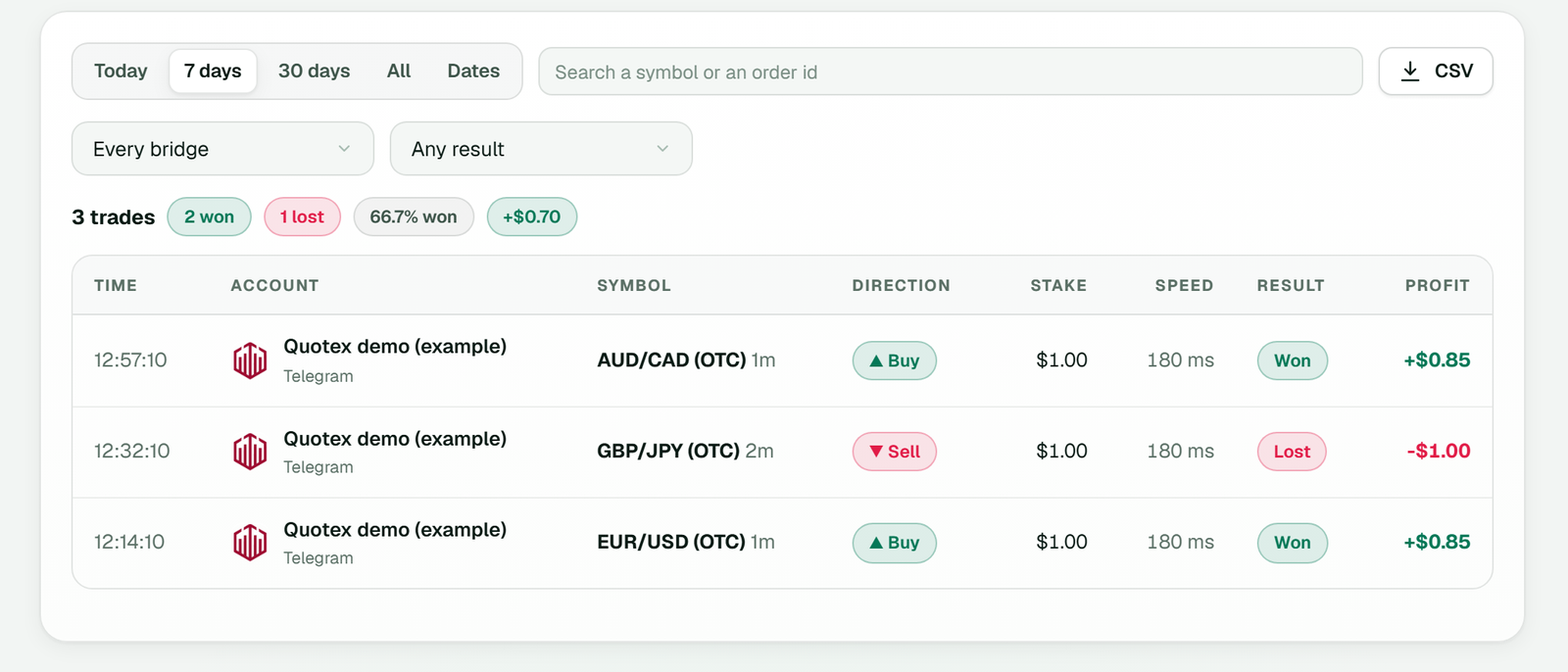 History lists each order with its symbol and expiry, direction, stake, speed, result and profit (example workspace).
Now suppose TPcopier had only read the same message at 14:15. Then step 3 would never happen. Ten minutes late, the copier would refuse the signal and show it under Live trades with its reason.
Practical tips for timed entry signals
-
Set each channel's time zone when TPcopier asks, as you link it to an account. Until you do, its timed signals are not traded.
-
Start on demo. Add the account as Demo (practice money); it trades real money only after you choose Switch to real money under More on its card.
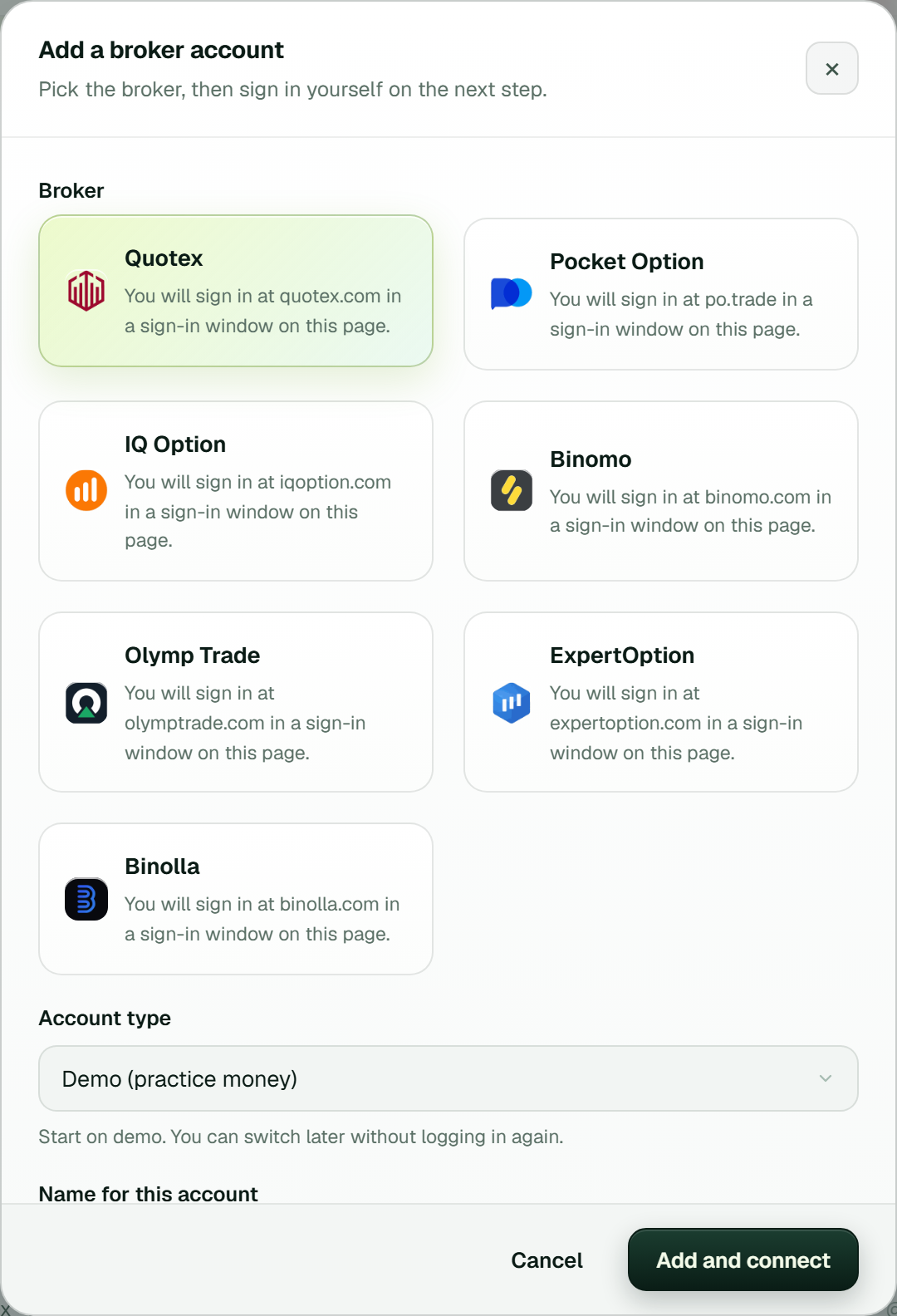 Add a broker account: Quotex picked, Demo (practice money) as the account type, then Add and connect.
-
Compare the channel's times with the broker's clock for a few signals, as described above.
-
Watch Live trades for signals that were not placed. If the copier refuses many because their time had passed, the channel tends to post late. That is worth knowing before real money is involved.
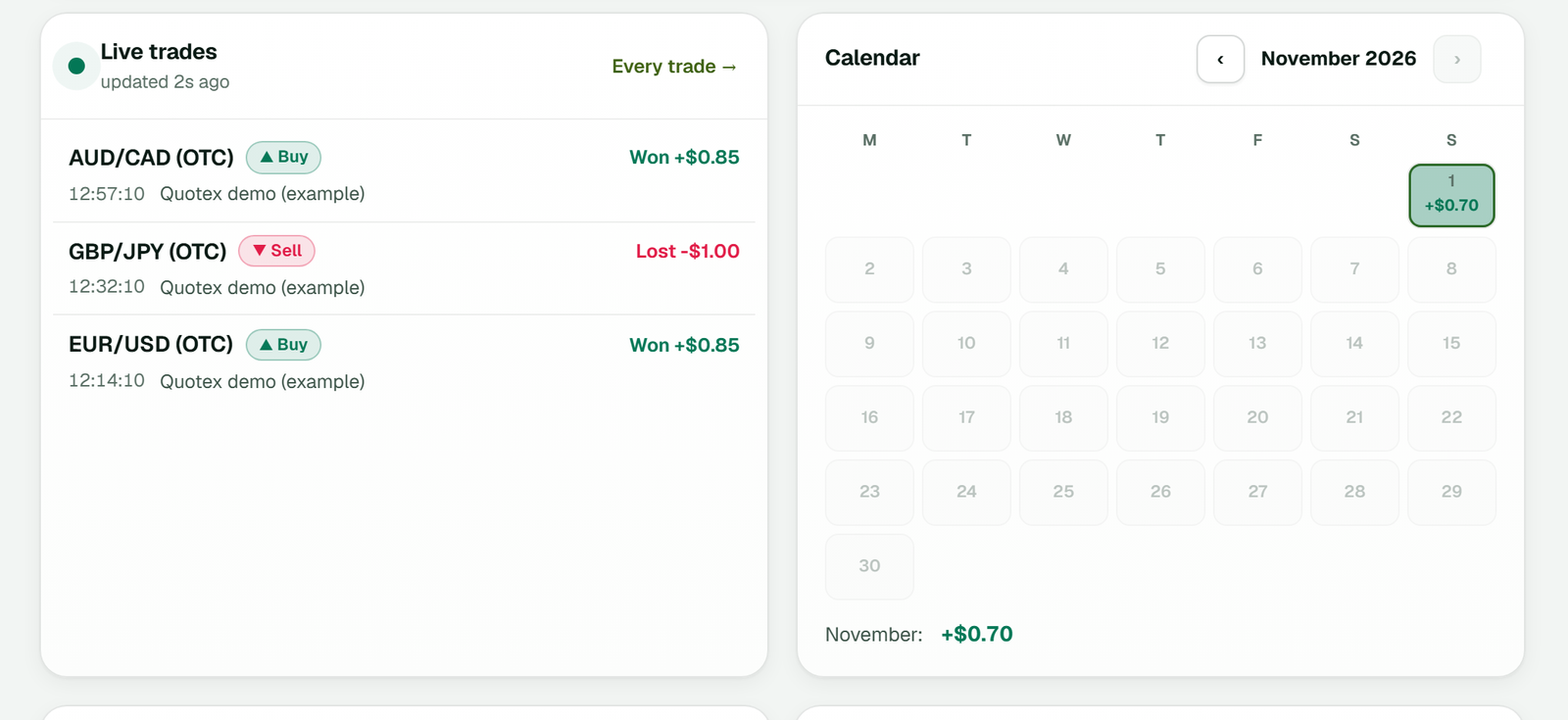 Dashboard → Live trades: the latest demo trades with Won or Lost and the profit, beside the month's calendar (example workspace).
5. Set your daily stop, daily target and maximum stake per order as for any channel. They sit under Limits in each account's Settings. The guide to binary options risk management explains each one.
 The Binary brokers page: each card shows Connected, Demo, the balance, today's result, trades today and the stake, Martingale by message, and Test trade, History, Settings and More (example workspace).
For a broker walkthrough that includes timed entries, see auto-trading IQ Option Telegram signals. The binary options signal copier page covers the rest of the features. The free trial also needs no card: create an account to try it on demo.
FAQ
What does the broker's own clock mean?
It is the time as the broker keeps it, which is the clock the trade itself runs on. TPcopier places a timed entry when that clock reaches the named minute, not when your phone or PC does.
Why not place a late signal anyway?
Because long after its time it is a different trade. It would open at whatever the price is by then, and its expiry would end later than the channel intended. With a time zone set, the grace is a tenth of the expiry, and never more than five minutes. Beyond that, the copier refuses the signal and gives the reason under Live trades.
Do I have to use the setting for timed entry signals?
Only for channels that post entry times. TPcopier asks for a channel's time zone when you link it to a binary account, and its timed signals wait until you answer. A signal with only an expiry trades at once whatever you choose.
Do timed entry signals still need an expiry?
Yes. In EUR/USD OTC 14:05 PUT M5, the M5 is the expiry. If a channel's messages give a time but no expiry, choose how long its trades run when you set its time zone. Otherwise the copier skips such a signal, because it never guesses an expiry.
Try timed entry signals on demo
Link one channel that posts entry times to a demo account, set its time zone when TPcopier asks, and watch a few signals go through. Check that each order opens at the minute the channel named, on the broker's clock, before any real money follows.
Legality: binary options are banned or restricted in many countries. In India, the RBI lists several binary platforms, including Quotex, Pocket Option, IQ Option, Binomo, Olymp Trade and ExpertOption, as not authorised for forex trading. Check the law where you live before you use any broker. TPcopier is software only; it is not a broker and is not linked to any of them.
Risk warning: binary options carry a high risk of losing money and are restricted in some countries. Nothing here is investment advice.