Copy Trading Discord Signals to MT4 and MT5: 5 Easy Steps
Copy trading Discord signals into MT4 or MT5 takes two things running all day: something signed in to Discord that reads the channel, and a MetaTrader terminal that places the orders. TPcopier does both on its own servers. You connect Discord, add your MetaTrader login, link the two, and your PC can stay off.
The sign-in needs the most thought. Discord offers three ways in, and one of them sits awkwardly with Discord's own rules; the rest of the set-up takes a few minutes.
Three ways to connect Discord
QR code
On your phone, open the Discord app, tap your profile picture, then the cogwheel for User Settings, and choose Scan QR Code under Account Settings. Scan the code TPcopier shows and approve the login. Discord hands the login over directly, so no password passes through TPcopier. Its QR code login FAQ adds that a code lasts only two minutes, so scan it soon after it appears.
E-mail or phone, and password
Type the e-mail address or phone number of your Discord account and its password. If the account has two-factor authentication, you'll then enter the 6-digit code. Sometimes Discord answers a password sign-in with a captcha. A server can't solve one, so TPcopier tells you to use the QR code instead. Scanning never asks for one.
A bot token
If you run the server, you can make a bot for it in Discord's developer portal and add it to the server. Then paste the bot's token into TPcopier.
Switch on MESSAGE CONTENT INTENT for the bot first. That intent controls access to a message's content, embeds and attachments included, so a bot without it gets calls it can't read. Discord explains the setting in its article on privileged intents.
A bot only sees the servers you added it to. A user account sees every text and announcement channel of every server you're in, plus your direct messages.
Which sign-in to pick (and the rule behind it)
Discord's support page on automated user accounts says Discord forbids automating a normal user account outside its OAuth2 and bot API, and that it can terminate an account caught doing it. Discord calls these "self-bots". The QR code and the password route both connect a user account, so they fall under that page. The account is yours, and so is that risk.
A bot token is the route Discord built for automation, which turns the choice into a question of who owns the server:
- Your own server: use a bot. It's the clean option and nothing about it conflicts with the policy above.
- Someone else's server: you usually can't add a bot there, so reading its calls means signing in as a user, with the risk described above. Some providers will add your bot if you ask, which is worth a message before you decide.
TPcopier only reads. It never posts or sends anything, and a user account it signs in shows as invisible, so other members don't see you come online.
What gets read from the channel
Most Discord calls arrive in one of two shapes. A person types them, or a bot posts them as an embed (the boxed message with a title, a description and fields). TPcopier reads the message text and the text inside embeds alike, and it also reads a forwarded message. Take this call, made up for the example:
GBPUSD BUY 1.2650
SL 1.2610
TP1 1.2690
TP2 1.2730
From it the reader takes the symbol, the direction, the entry or entry zone and the stop loss. It also takes up to six take profits, and whether it's a market or pending order. The EA opens one position per take profit, so this call becomes two positions. Out of the box it trades TP1 to TP3; TP4 to TP6 stay off in EA settings until you turn them on. That's also why an MT5 account needs to be a hedging account rather than a netting one.
Reading runs in a fixed order: your block list first, then layouts TPcopier has already learned for that channel, then an AI reader for a layout it hasn't seen. The block list matters on Discord, where result posts ("TP1 hit, +40 pips") often name a symbol and a price just like a real call. By default it already covers results, reports and recaps, and you can add your own words.
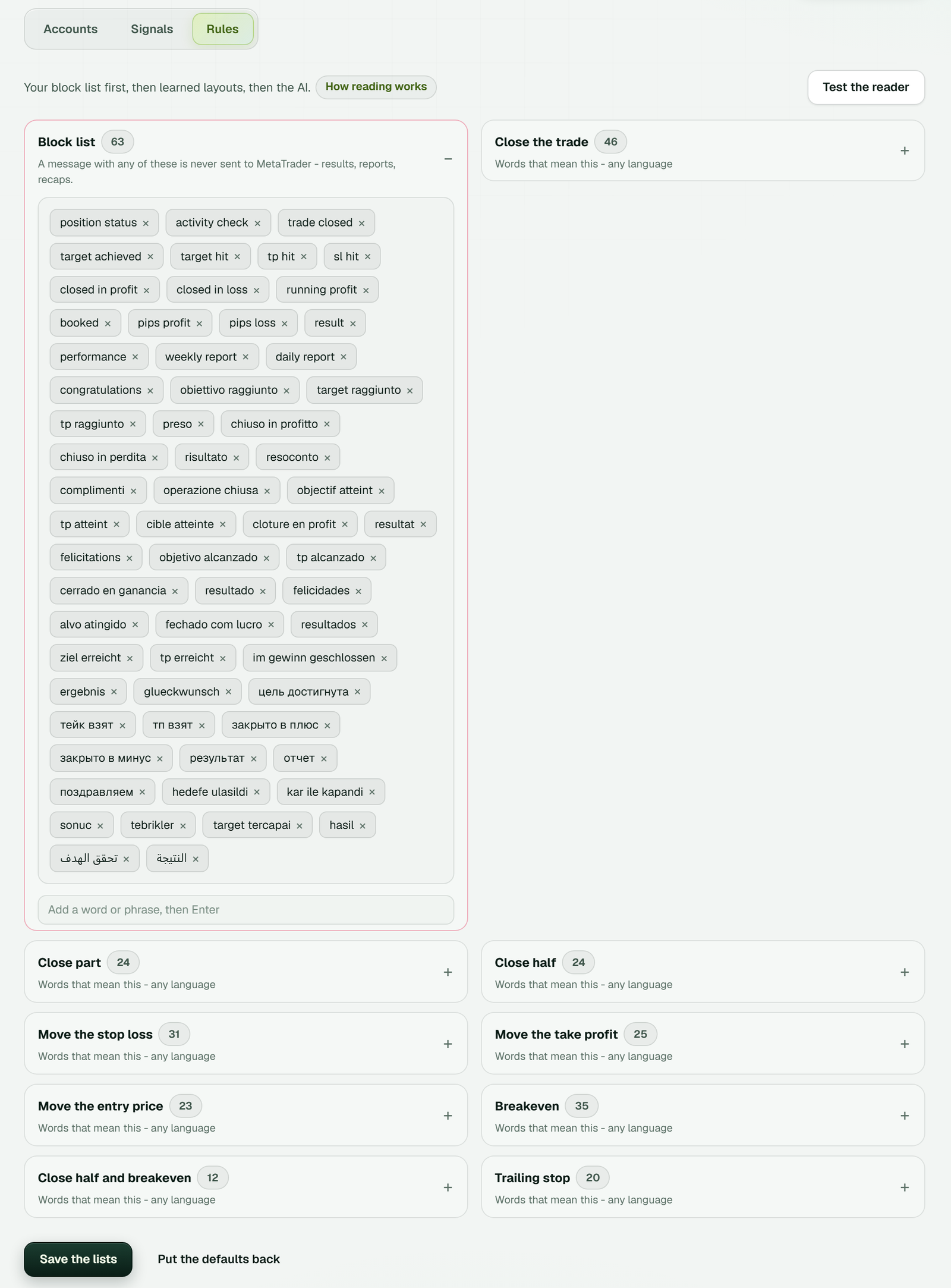 The block list already holds result words in several languages. Put the defaults back, at the bottom, restores the original lists after an edit goes wrong.
Replies that manage a signal
Plenty of Discord providers manage a trade by replying to the original call: "move SL to entry", "close half", "TP2 now 1.2750". A reply acts only on the positions that call opened, and it leaves the rest of the account alone.
The words that count as close, close part, close half, move the stop loss, move the take profit, move the entry, breakeven or trailing stop sit in lists on the Rules tab. Each list takes words in any language, and you can edit them. Test the reader shows how TPcopier would take a message you paste, before any real one arrives.
Copy trading Discord signals into MT4 or MT5, step by step
1. Make the bridge
Start the free trial, open Bridge and press Make a bridge. Pick Discord as the sender and MetaTrader 5 or MetaTrader 4 as the receiver, then press Open the bridge.
 The binary brokers below MetaTrader belong to a different bridge; Discord to Quotex is set up there.
2. Connect Discord and switch on channels
From the bridge's set-up list, sign in to Discord with one of the three ways above. On the Discord Channels page, press Refresh from Discord and switch on each channel whose calls you want copied. TPcopier reads those and nothing else.
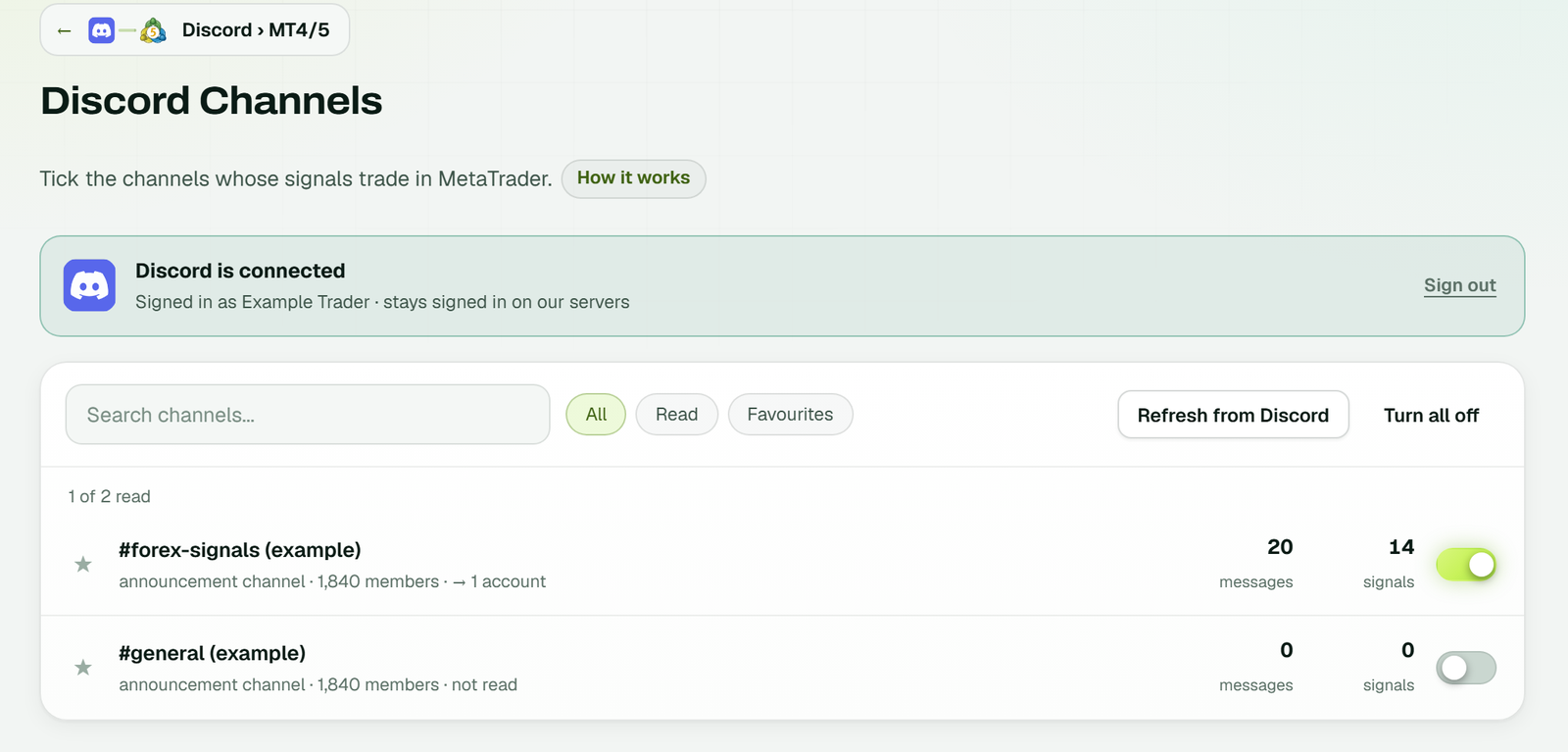 Each channel shows how many messages arrived and how many were signals. Sign out, on the right, disconnects Discord (example workspace).
3. Add your MetaTrader account
Press Add receiver in the bridge, or Add account on the MetaTrader 4/5 page. In the Add a MetaTrader account window, pick the platform and name the account. Type your broker's name to search for it, then enter the account number and the trading password and press Add it.
It has to be the trading password. An investor password is read-only and can't place trades. TPcopier locks the password with its cloud server's own key the moment you press Add it, and the website can't read it back.
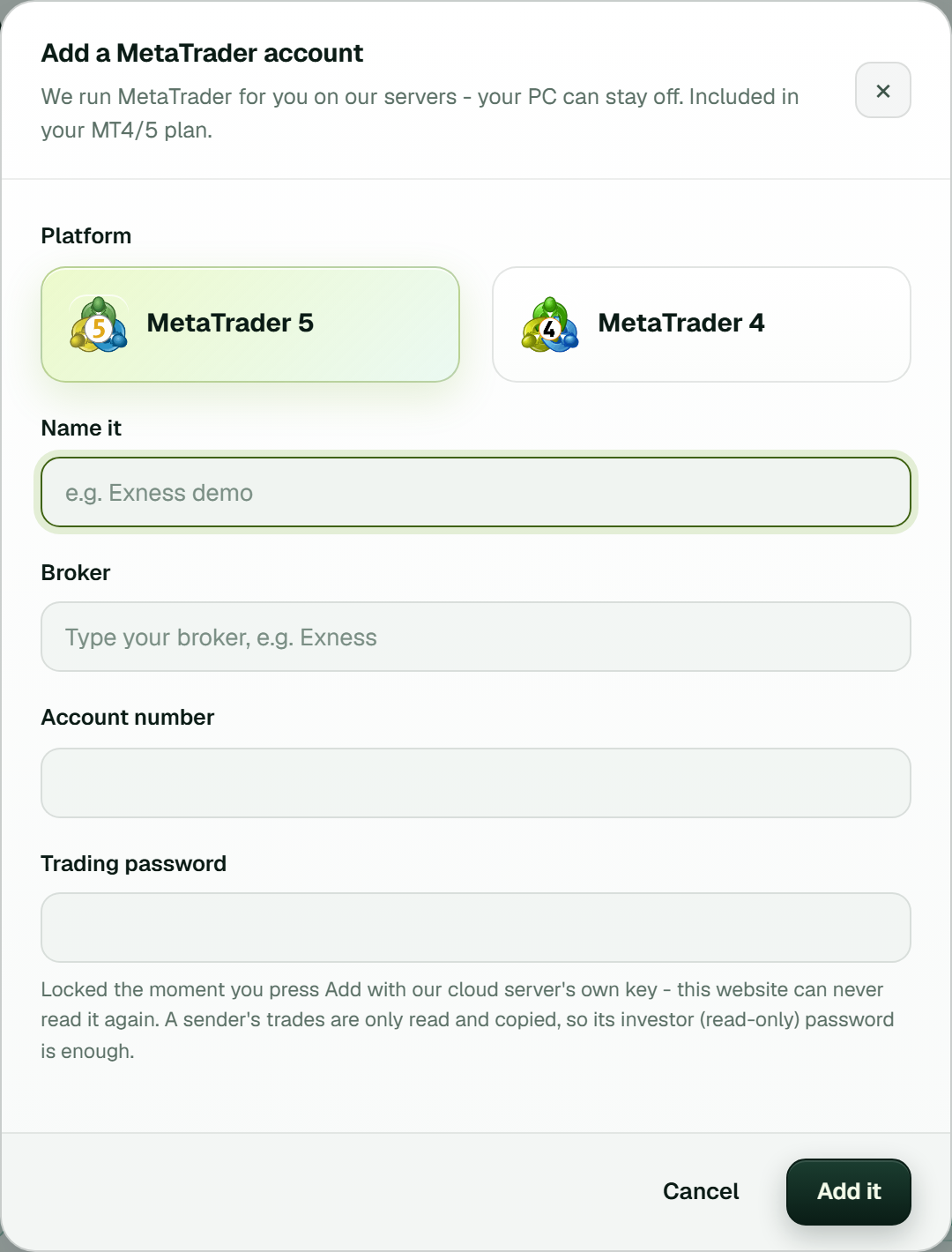 The investor-password note under the password field is for a trade copier's sender. A Discord receiver needs the trading password.
TPcopier then starts the terminal on its server with the TPcopier EA inside. The card walks through "Preparing the terminal", "Signing in" and "Turning on Algo Trading", and ends on Running with Algo Trading on.
4. Link the channel to the account
In the bridge's window, link the Discord channel to the MetaTrader account. The link gets a gear for its settings and the status Live. From then on, new calls from that channel go straight to the account.
 Set-up shows 5 of 6 done. Test it on demo is the last step, and the link says No orders yet (example workspace).
5. Check the EA settings, then test on demo
Lot size and the other inputs live under EA settings on the account's card. They're the TPcopier EA's own inputs, in groups, set for that one account. Then let one channel's calls run on a demo account for a week before real money follows it.
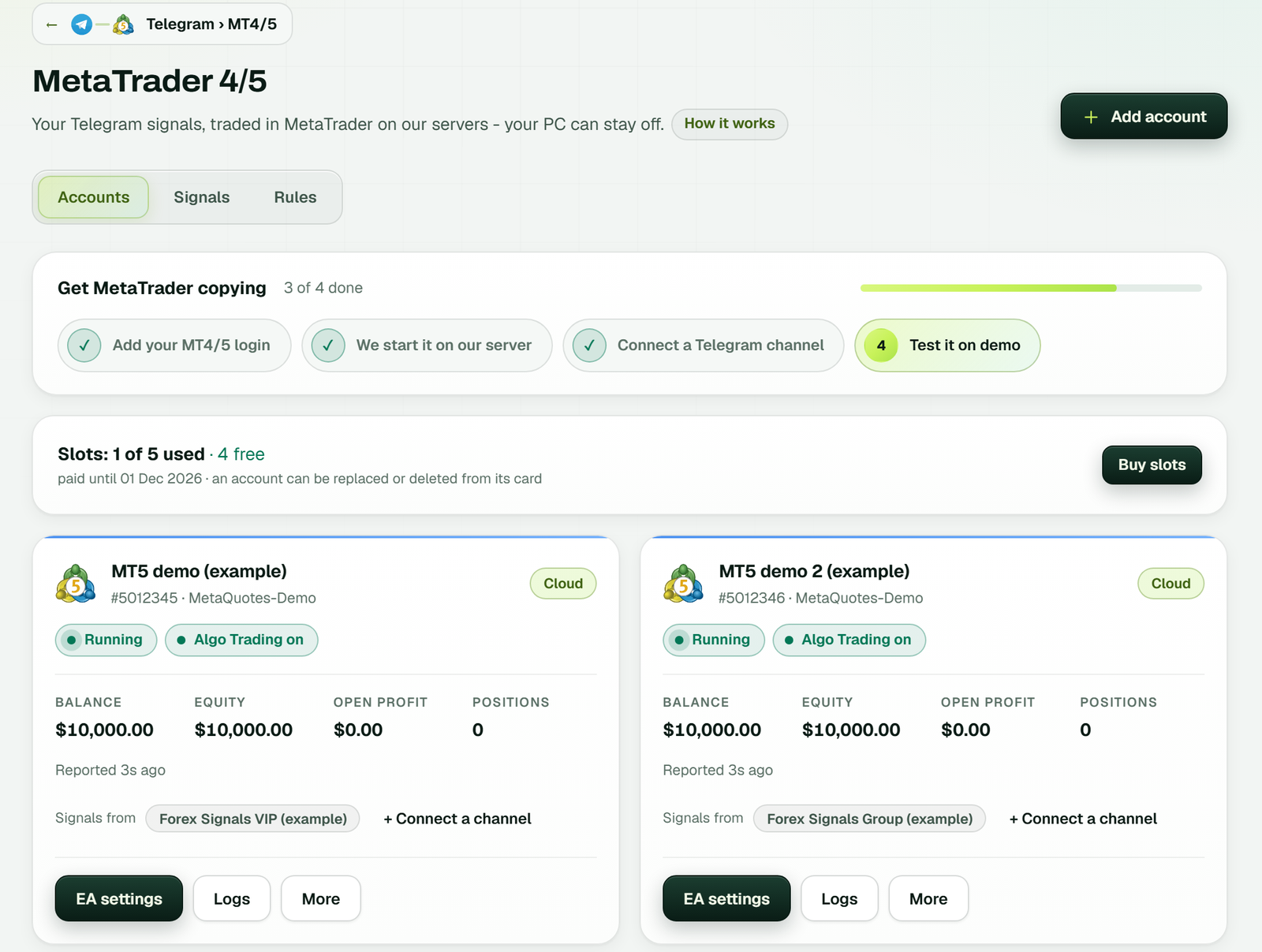 Shown from a Telegram bridge; a Discord bridge has the same cards, with EA settings, Logs and More under each (example workspace).
When a call doesn't trade
A call that doesn't trade usually fails for a plain reason, and the Signals tab on the MetaTrader 4/5 page names it. It lists each message with how TPcopier read it and what the EA did with it, including the reason when a call was skipped or refused. A blocked result post usually explains itself there.
Symbol names are the other common cause. The EA maps the usual names by itself, so XAUUSD finds Gold or XAUUSD.r at a broker that spells it that way. When a broker uses a name it can't match, the account's Logs show the refusal, and the symbol settings in EA settings fix it for that account only.
If the account itself looks stuck, Logs on its card shows the account's log, and More has Test connection and Reconnect.
A few limits worth knowing before you rely on it:
- A captcha on a password sign-in can't be answered from a server. Use the QR code.
- The copier trades whatever the channel posts, good calls and bad ones.
- Pause and the red Stop Trading button in the top bar stop everything at once.
- Discord to binary brokers such as Quotex is a separate bridge; Discord to Quotex covers it.
TPcopier is software, not trading advice. Trading forex and CFDs can lose you money, and copying someone else's calls doesn't change that.
What it costs
The price depends on how many accounts the bridge feeds. A bridge costs $40 a month for 2 accounts, $60 for 3, $90 for 5, $150 for 10 and $200 for 15. That price includes the cloud MetaTrader terminal. There's a 2-day free trial with no card needed, and the pricing page has the current list. More on the MetaTrader side is on the Discord copier for MetaTrader page.
Sources
- Discord, Automated User Accounts (Self-Bots) (read 4 Nov 2026)
- Discord, QR Code Login FAQ (read 4 Nov 2026)
- Discord Developers, What are Privileged Intents? (read 4 Nov 2026)
FAQ
Do I need to own the Discord server?
Only for the bot token route. With the QR code or a password, TPcopier reads the channels your own account can see, though that means automating a user account, which Discord's policy forbids.
Can one channel feed several MetaTrader accounts?
Yes. Add each account as a receiver on the same bridge and link the channel to each one. Every account keeps its own EA settings, and every running account takes one of the plan's slots.
Is the free trial enough to test a Discord channel?
It runs two days on one bridge and takes up to 10 signals a day, so a busy channel can reach that cap before the day ends. The free signal copier guide shows how those signals are counted.
Does the same setup work for Telegram or WhatsApp?
Each sender is its own bridge, but the MetaTrader side is the same. See Telegram to MT4 and MT5 and copying WhatsApp signals to MT4 and MT5.