Signal Copier Android App: Easy MT5 Copying by Phone, 2026
Plenty of traders run their whole trading life from a phone. So it is no surprise that "signal copier android" is a common search. The catch is that a copier has to work every minute of the day, and a phone is a poor place for that. It sleeps, it loses signal, and it closes apps to save battery. TPcopier gets round this by doing the copying on its own servers. Your phone becomes the remote control. This post shows how to set the whole thing up from Android, what the app does, and where its limits are. MetaQuotes describes the app on its MetaTrader 5 for Android page.
Can a signal copier run on an Android phone?
Not the copying itself, and not with MetaTrader alone. The MT5 app on Android is built for manual trading and charts. An Expert Advisor needs the desktop terminal, which is why "install an EA on MT5 Android" leads nowhere. The post on running an EA from MT5 Android covers that in detail.
With TPcopier, three jobs happen on its servers instead:
- Reading Telegram. Your Telegram login stays connected there, so channels are read even while your phone is off.
- Running MetaTrader. Your MT4 or MT5 account runs in a cloud terminal with the TPcopier EA inside.
- Placing the trades. The EA turns each signal into orders with the entry, stop loss and take profits.
The phone only sets things up and shows you the results. Switch it off overnight and the copier keeps going.
Two ways to use TPcopier on a phone
- The Android app. A native app with five tabs: Home, Copier, Trades, PC Software and Account. You download it from tpcopier.com/android.
- The website in your phone's browser. Everything on tpcopier.com works on a small screen, including sign-up and Plan & Billing.
On an iPhone, use the website. There is no iOS app.
Install the Android app
- Open tpcopier.com/android in Chrome on your phone. The file TPcopier.apk downloads, about 44 MB.
- Open the file. Android asks if your browser may install apps. Allow it for this one install, then switch it back off if you prefer.
- Open TPcopier and sign in with your e-mail and password. No account yet? Create an account opens the sign-up page on the website, where the free trial starts.
The app asks for no phone permissions. It has no access to your contacts, location, camera or files. It shows no ads, runs no analytics and talks only to tpcopier.com, over HTTPS. You can also delete your account from the Account tab.
Set up the copier from your phone
The Copier tab lists your bridges and copiers, with "Add a copier" and "Add a bridge" below. Tap Telegram to MetaTrader 4/5 and the set-up opens inside the tab.
1. Connect Telegram
Type your Telegram phone number with its country code and tap Send me the code. Telegram sends a code inside its own app, not by SMS. If Telegram is on the same phone, switch to it, read the code and switch back. Accounts with a two-step password get a third box for it.
2. Switch on your channels
Every channel and group your Telegram account belongs to appears in a list. Switch on only the ones whose signals you want to copy. The rest are never read.
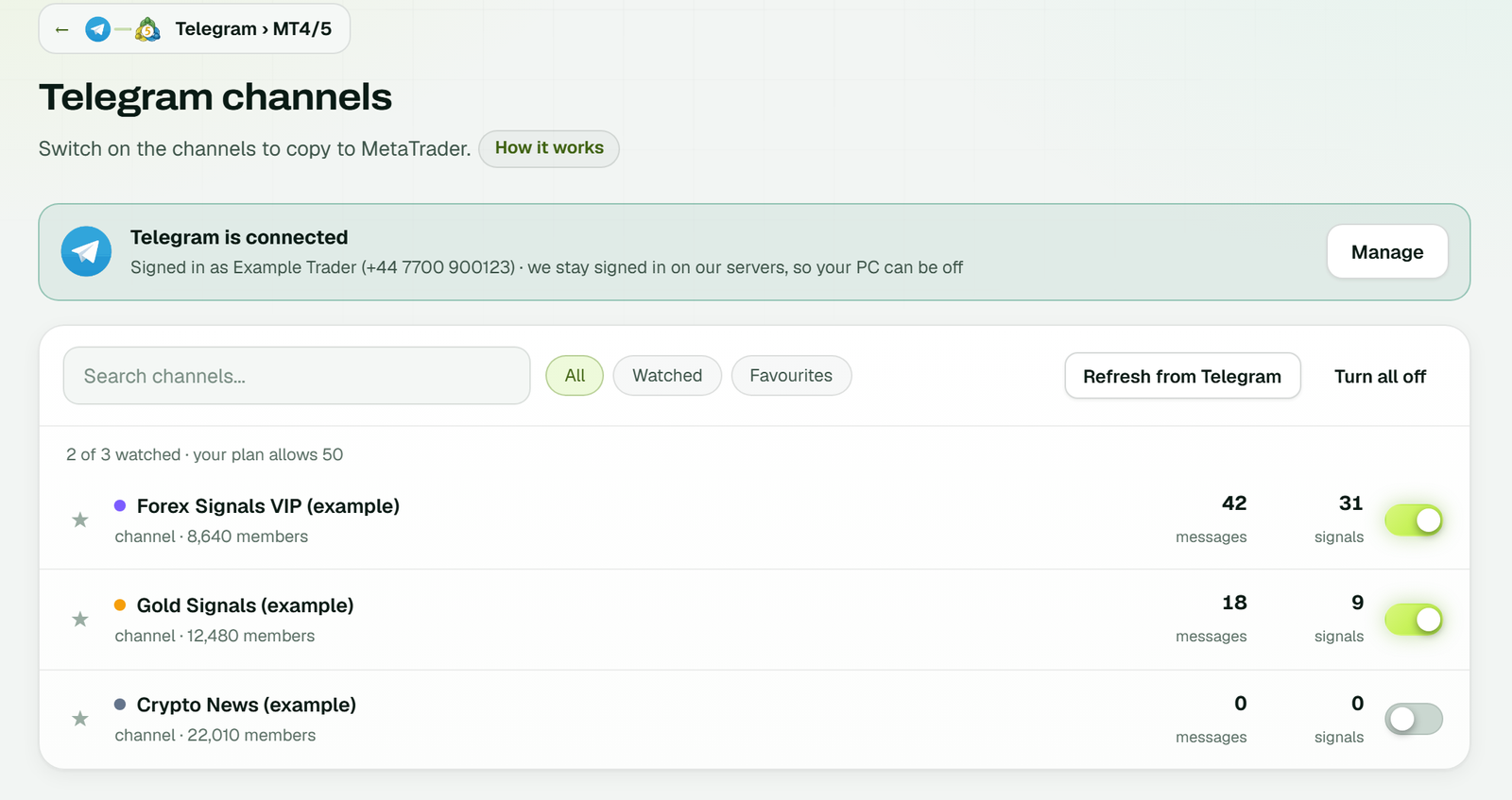 The Telegram channels page on the website: Telegram is connected, two channels are on and one is off, each with its messages and signals (example workspace).
3. Add your MetaTrader account
Pick MT5 or MT4, then fill in four boxes:
- Broker server, spelled exactly as MetaTrader shows it.
- Login, the account number.
- Password, the trading password, since this account places the trades. The cloud server's own key seals it the moment it arrives.
- Name, optional, to tell your accounts apart.
Below them, tick the channels this account should trade, then tap Add account. The app answers "Added - our cloud server is starting it now." The account then shows its state until the terminal is connected.
4. Set the EA
Under the account, open EA settings. Here you set the lot size, stop loss and take profit rules, symbol names and limits. These are the same inputs the EA has in MetaTrader. A fixed lot of 0.01 is the default, so change it first if you want something else.
5. Test on a demo account
Use a demo MetaTrader account for the first days. The EA trades whatever account it sits on, so a real account means real money from the first signal. MT5 also needs a hedging account, because each take profit gets its own position.
What the app shows day to day
- Home. Whether copying is Running, Paused or Stopped, how many accounts are connected, and each account with demo or real, its state, today's result and its balance.
- Copier. Every bridge and copier, with a switch to pause a link without deleting it.
- Trades. Recent trades with their result.
- PC Software. The pay-once Windows apps. A tap opens their page on the website. They include crypto copiers such as TradingView to Delta Exchange, which run on a PC, not on the phone.
- Account. Your workspace, privacy policy, terms and account deletion.
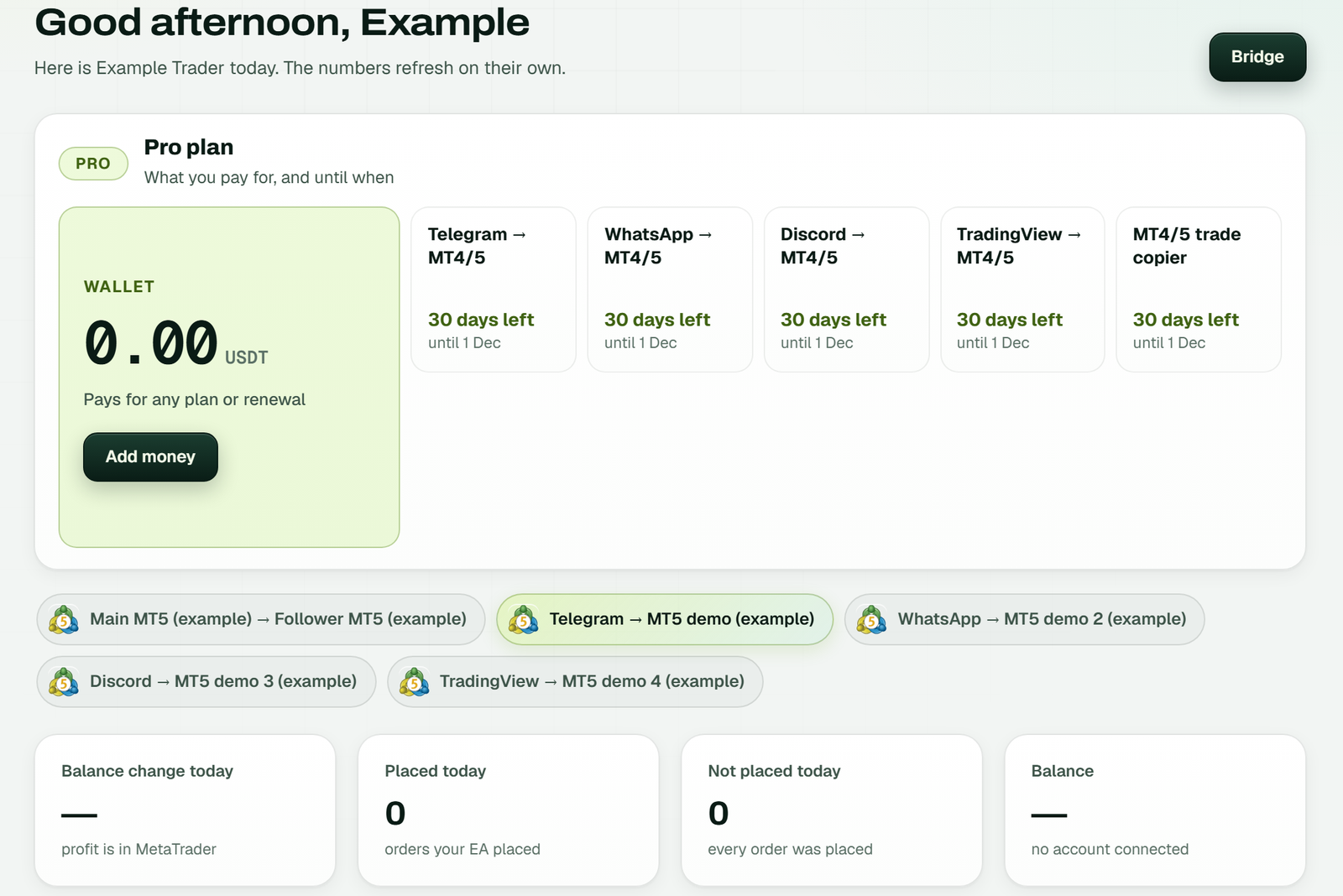 The website Dashboard of an example workspace on a computer: the plan and wallet, the bridges, and today's tiles. The app's Home tab shows the same workspace in phone form.
WhatsApp and Discord from a phone
The same app can connect WhatsApp groups and Discord channels to MetaTrader. Discord signs in with its login, plus a code if you use two-factor sign-in. WhatsApp is the awkward one on a single phone. It links as a device by scanning a QR code, and you scan it with the phone that has WhatsApp. If that is the phone showing the code, open the screen on a second phone or tablet, or open tpcopier.com on a computer and scan from there.
Does using a phone slow the copier down?
No, because the phone is not in the path. A signal goes from Telegram to TPcopier's servers to the cloud terminal and on to your broker. TPcopier timed the 170 trades that MT4 and MT5 EAs took in the 30 days up to 30 October 2026. These are medians:
- Reading a signal in a layout the channel has used before: 6 ms.
- The EA fetching the order after that: about 10 ms.
- The EA's own order at the broker: about 149 ms.
- From the Telegram message's timestamp to the EA's answer: 1.8 s. Telegram stamps whole seconds only, so treat this one as rough.
A layout the copier has never seen is read once by AI, which takes about 1 to 3 seconds. Later messages in that shape skip the AI.
Limits worth knowing
- No iPhone app. iPhone users manage everything on the website.
- No push notifications yet. Open the app to check on things.
- WhatsApp needs a second screen when the app and WhatsApp share one phone.
- The MT5 app is still useful. Log it in to the same account and you see every position the EA opens, because the trades belong to the account, not to the terminal.
- The copier follows the channel. It gives no trading advice and picks no signals for you.
The cloud vs VPS page explains why the cloud suits phone-only traders, and the Telegram to MT5 copier page covers the product in full. For every setting in detail, see the Telegram to MT4 and MT5 set-up guide.
FAQ
Is there a signal copier app for Android?
Yes. The TPcopier Android app is a free download from tpcopier.com/android. It signs in to your TPcopier account, where the copying runs on TPcopier's servers.
Does my phone need to stay on for copying to work?
No. Telegram is read and MetaTrader runs on TPcopier's servers. Your phone can be off, out of signal or in a drawer.
Can I set up the whole copier from my phone?
Yes. You can connect Telegram, switch on channels, add a cloud MetaTrader account, set the EA and link them, all in the app. Sign-up itself opens the website.
Is there an iPhone version?
No. On an iPhone, use tpcopier.com in Safari. The website does everything the app does.
Will I see the copied trades in my MT5 app?
Yes. Log the MT5 app in to the same account. The trades sit on the account itself, so every MetaTrader app logged in to it shows them.
Is the app free?
The app is free to download. Copying comes with a free trial, then a monthly price per bridge; see the signal copier pricing page. For the trial itself, read whether a free signal copier exists.
Start from your phone
Start the free trial in your phone's browser, install the app, and link one channel to a demo account. Then leave it alone for a day and see what it did.
Risk warning: trading forex and CFDs carries a high risk of losing money and is not suitable for everyone. Nothing here is investment advice.