How to set up the
Telegram to Delta Exchange Copier
This guide shows how to install and set up the Telegram to Delta Exchange Copier. Crypto signals from your Telegram channels, read by the built-in AI and traded on Delta Exchange from your own PC - perpetual futures, options, MOVE options and spot - with the signal's stop loss and target, on demo first.
What you need for the Telegram to Delta Exchange Copier
- Windows 10 or 11 (64-bit), a PC or a VPS that stays on
- The Telegram account that is in your signal channels
- A Delta Exchange account (India or Global) and an API key with Trading switched on
How to set up the Telegram to Delta Exchange Copier, step by step
Get your key
Sign up free at tpcopier.com, open Software and press Start free demo on the Telegram → Delta Exchange Copier card - a demo key for a few days, nothing to pay. Buy it later on the same card: the demo key itself becomes lifetime, so you never type a new one.
Download the app
On the same card press Download. Keep the .exe in a folder of its own on the Windows PC or VPS it will run on, for example C:\TPcopier.
Start it
Double-click the .exe. If Windows says "Windows protected your PC", press More info, then Run anyway - it is TPcopier's own build, and tpcopier.com checks every copy's fingerprint when it is activated. If your antivirus holds it back, allow the file.
Activate your key
Paste the key and press Activate. One key works on one computer; to move it, write to us.
Sign in to Telegram
In the Telegram card type your phone number with its country code, then the code Telegram sends to your Telegram app (and your two-step password, if you use one). The session stays sealed on this PC.
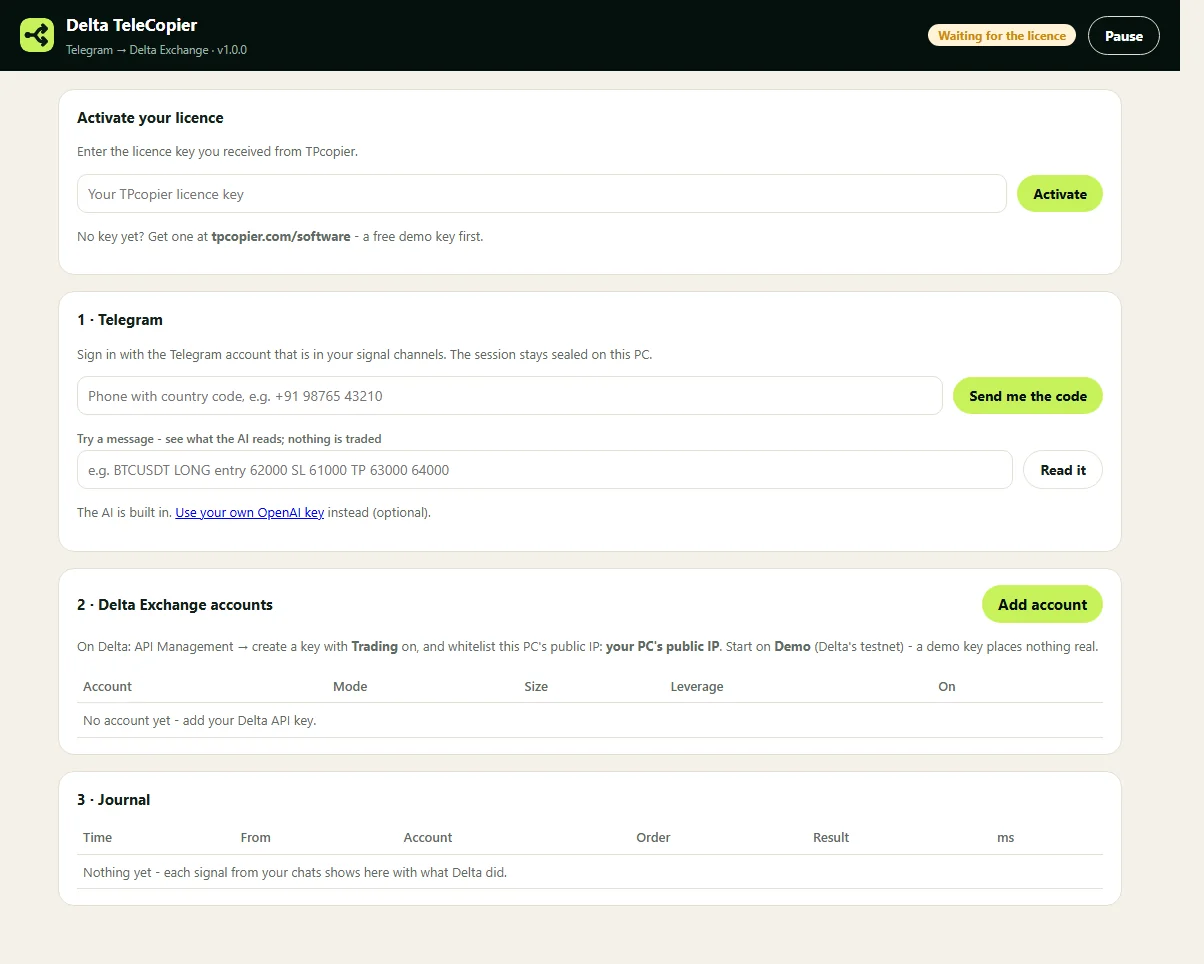
Sign in to Telegram - the app's own screen. Tick your signal chats
The card lists your channels and groups: tick each one whose signals you copy. Every new message there is read by the built-in AI.
See what the AI reads
Paste a signal into Try a message and press Read it: you see the side, the coin, the entry, the stop loss and the targets - and for an options signal its call or put, strike and expiry. Nothing is traded. A message that is not a trade is read as none and skipped.
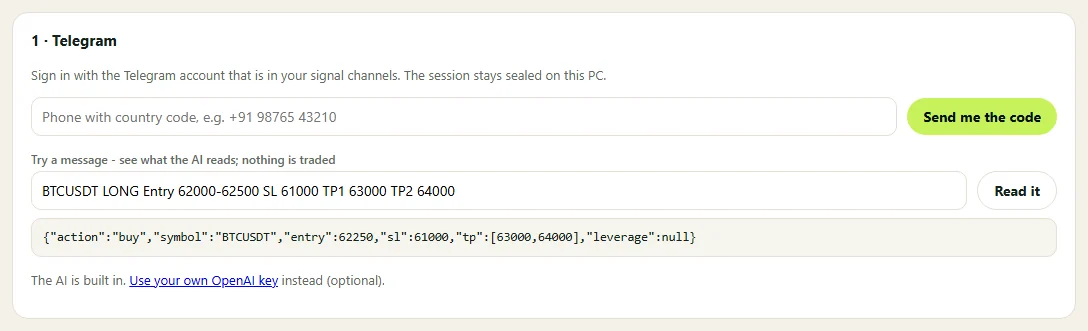
See what the AI reads - the app's own screen. Make an API key on Delta
On Delta Exchange open API Management and create a key with Trading switched on. Whitelist the public IP of the computer the app runs on - the app shows it on its Accounts card. Start with a key from Delta's testnet: it places nothing real.
Add your Delta account
Press Add account: a name, the API key and secret, its market (perpetual futures, options, MOVE options, spot or Global's binary options), Demo (testnet) or Real, India or Global, how much one trade is, and the leverage for futures. Press Save - the app checks the key and shows the balance.
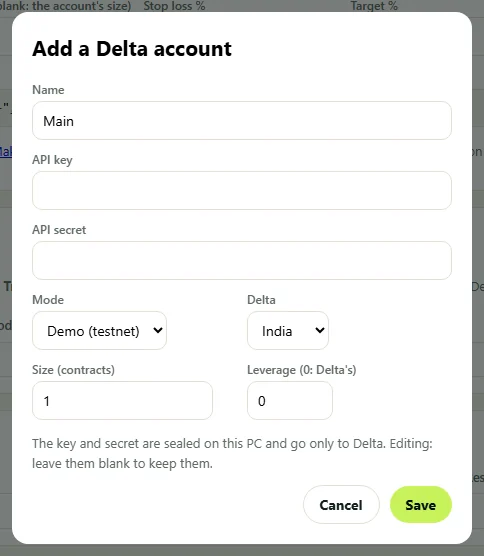
Add your Delta account - the app's own screen. Test on demo, then go live
On a Demo futures or spot account press Test order: a small BTC position is bought and closed again on the testnet. Each signal and what Delta did shows in the Journal; Pause stops everything at once.
Telegram to Delta Exchange Copier: questions and answers
Which signals does it trade?
Buy / long and sell / short signals for a coin, with their stop loss and targets, close / exit messages, and options signals (call or put, CE or PE, strike, expiry). Results, "TP1 hit" updates and chat are skipped.
Which market does a signal go to?
Each account's own - perpetual futures, options, MOVE options, spot or binary. A message that clearly says spot, options or MOVE goes to that market.
Which target is used?
The first one, carried on the futures order as Delta's bracket target, with the signal's stop loss. A price the message does not give is never made up.
Can I use my own AI key?
Yes - the AI is built in, and you can paste your own OpenAI key in the app; it is sealed on this PC with your API keys.
Is there a free demo?
Yes - Start free demo on the app's card gives you a key for a few days. When you buy, that same key becomes lifetime.
Can it run on a VPS?
Yes - any Windows 10, 11 or Windows Server VPS. It trades while that computer is on.
Can I move my key to another computer?
One key works on one computer. To move it, write to us and we free it.